Combined Media Stream
Overview
Combined Media Stream allows ITVDesk to merge multiple video and audio sources into a single video stream that is exposed as one virtual ONVIF IP camera channel.
This feature is designed for:
- Multi-camera layouts
- Operator + screen combinations
- POS systems (screen + webcam)
- Control rooms
- Video walls
- Training and monitoring scenarios
Instead of exposing each source as a separate channel or camera, ITVDesk renders all selected sources into one composed video output.
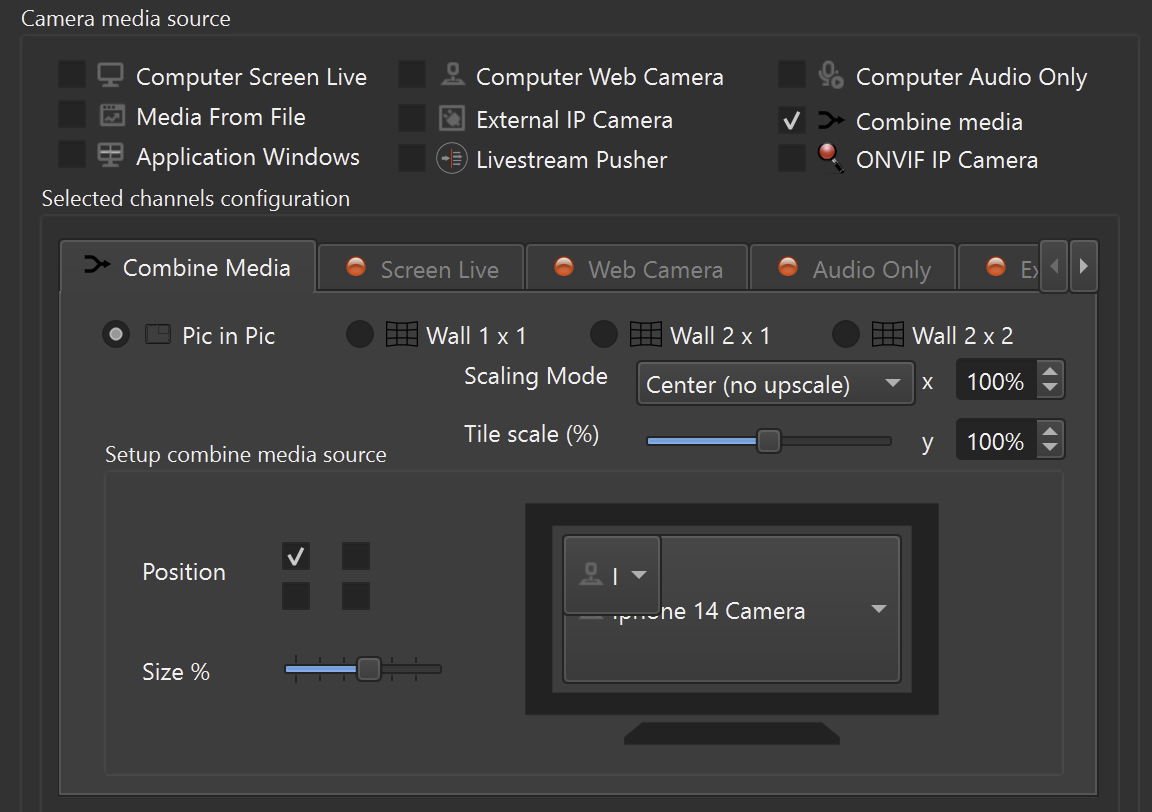
Enabling Combined Media
To create a combined media stream:
- Create a new Virtual ONVIF IP Camera
- In Camera Media Source, enable Combine Media
- Select the media sources you want to combine:
- Screen Live
- Webcam
- Application Windows
- External IP camera
- Media from file
- Choose the desired layout mode
- Configure layout and scaling options
- Click Add IP Camera
The combined output becomes one video channel.
Supported Layout Modes
ITVDesk currently supports the following layout modes for combined media:
Picture-in-Picture (PiP)
One main video source is displayed full-screen, while another source is shown as a smaller overlay.
Typical use cases:
- Desktop + webcam (presenter view)
- POS screen + cashier camera
- Operator monitoring
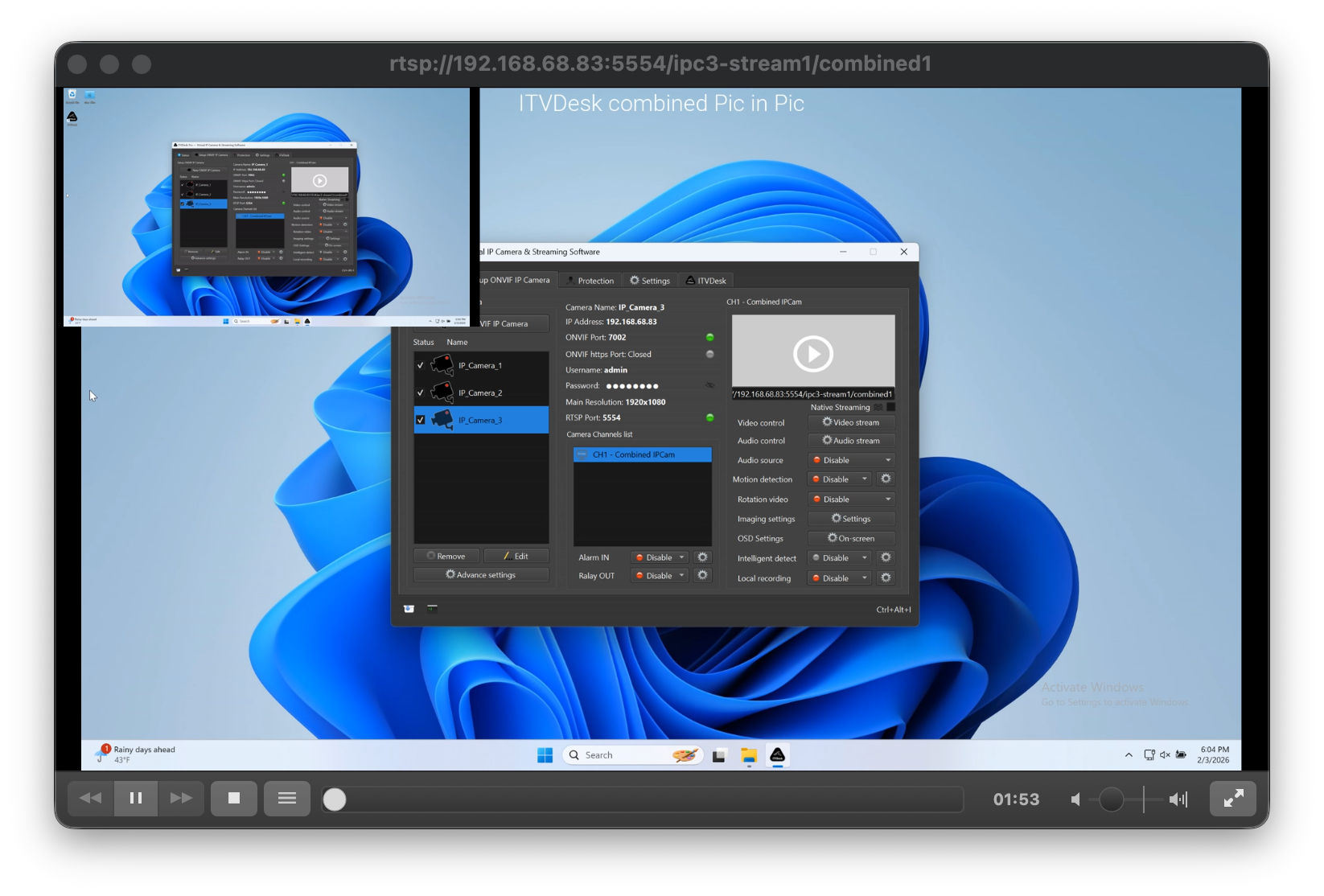
Wall 1 × 1
Single source rendered full-screen.
This mode is useful when:
- You want to switch between sources dynamically
- The combined layout is temporarily simplified
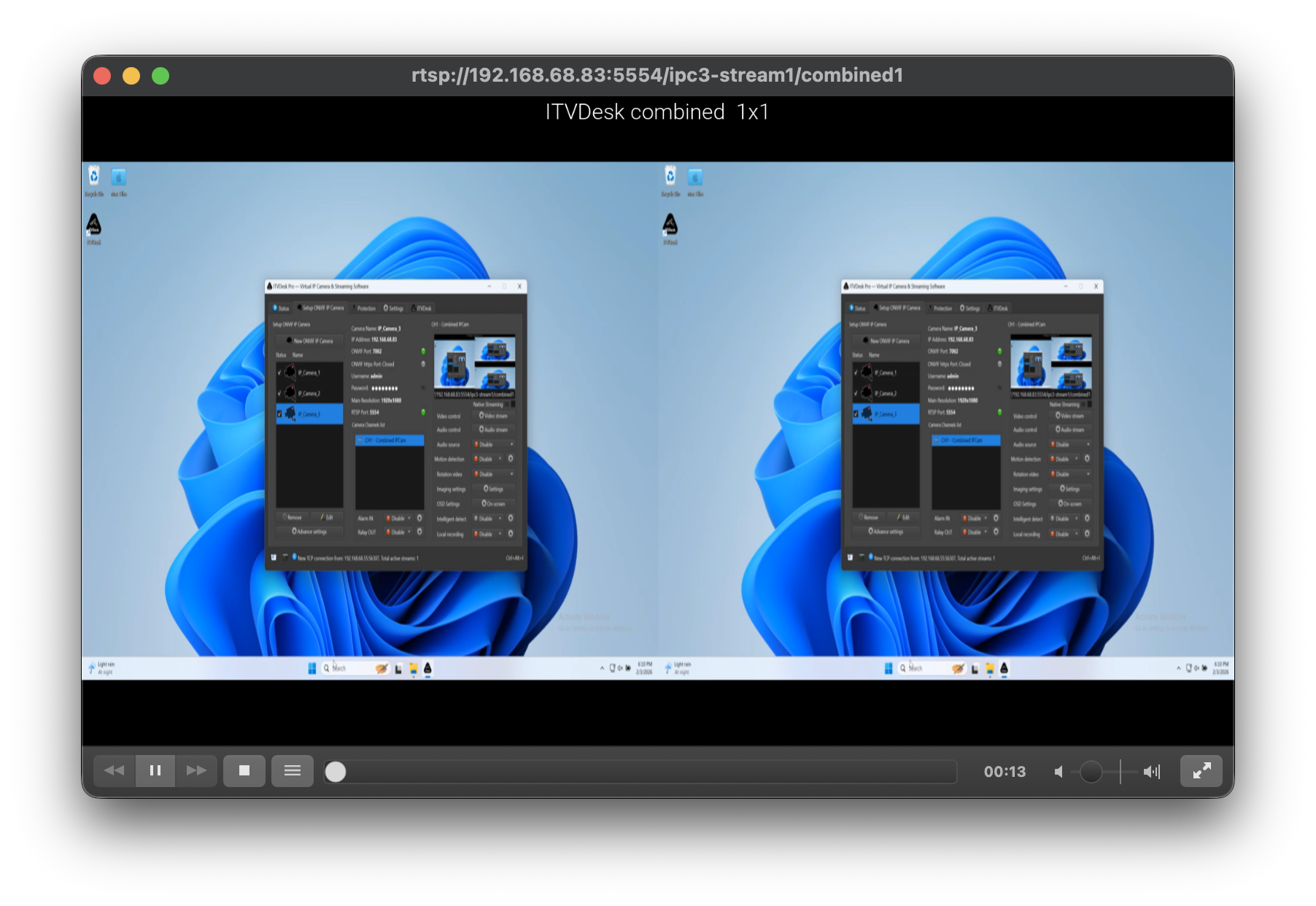
Wall 2 × 1
Two sources displayed side-by-side in a horizontal split.
Typical use cases:
- Two monitors
- Two webcams
- Screen + external camera
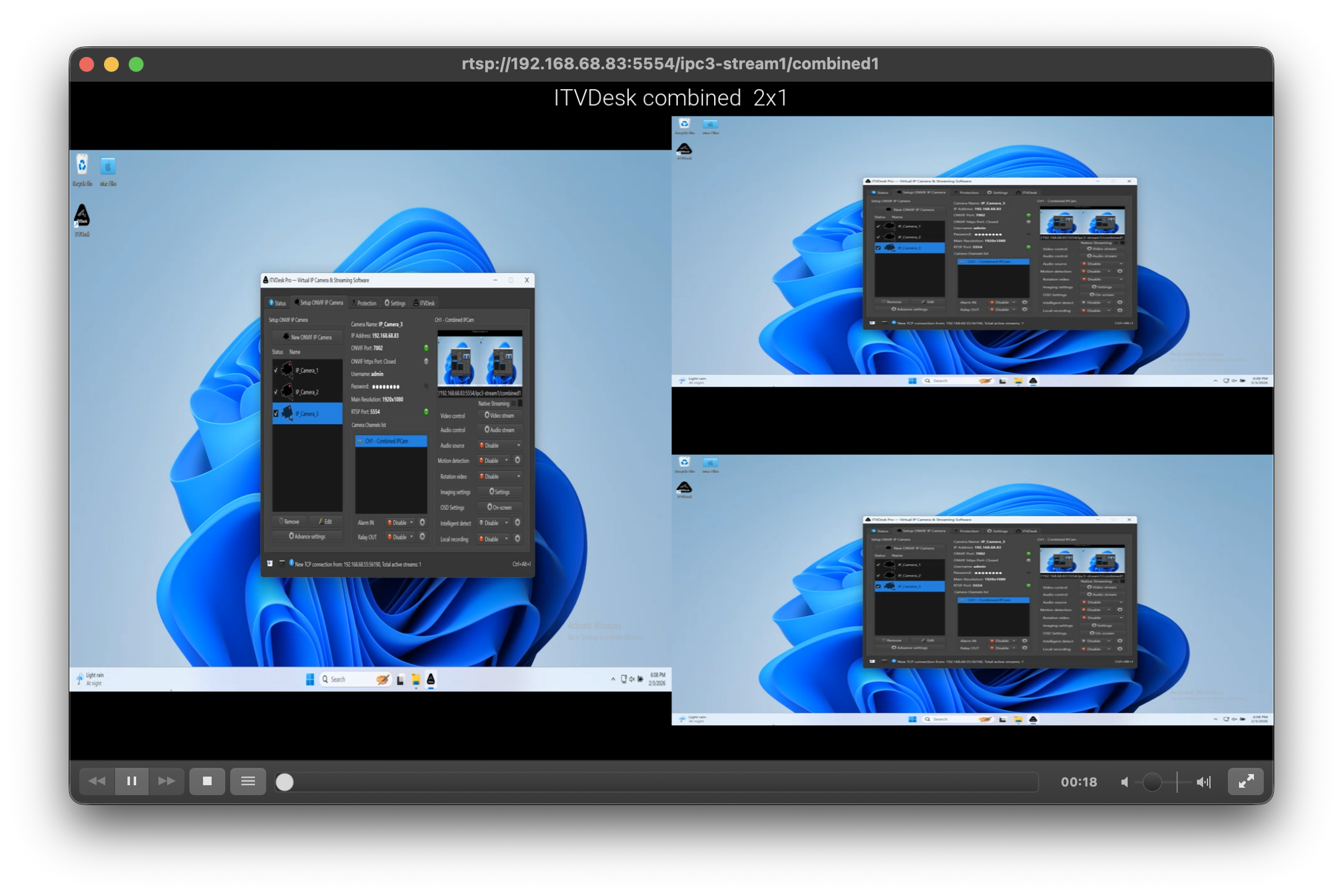
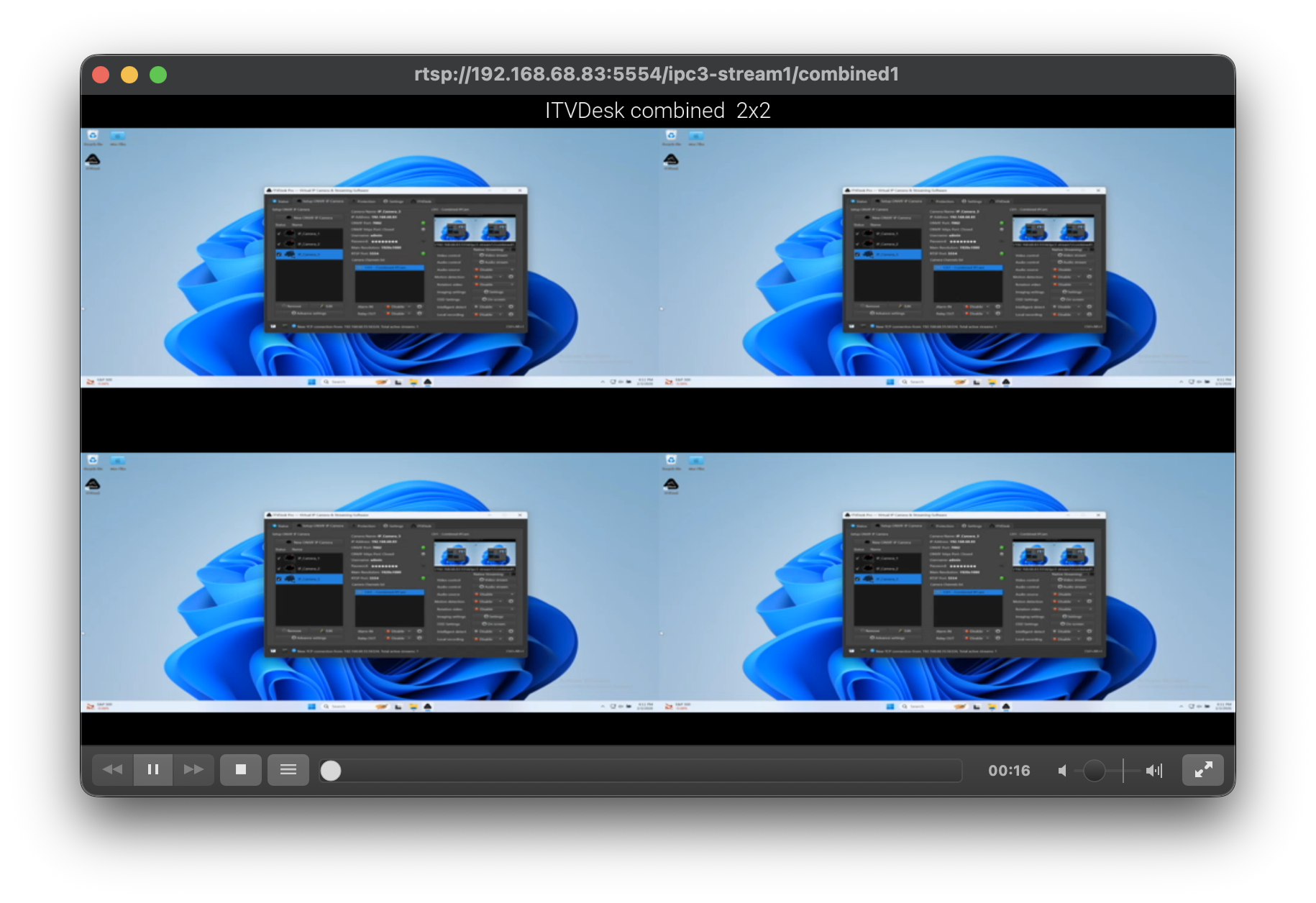
Wall 2 × 2
Four sources displayed in a 2×2 grid.
Typical use cases:
- Multi-camera surveillance
- Video wall preview
- Training or exam supervision
Scaling and Positioning Options
Combined Media provides fine-grained layout control:
Scaling Mode
Defines how each source is rendered inside its tile:
- Center (no upscale) – original size, no scaling
- Fit – scales to fit within tile
- Fill – fills the tile completely (may crop)
Tile Scale (%)
Allows manual scaling of each tile in X and Y direction.
Position Control (PiP mode)
For Picture-in-Picture:
- Select the corner or position
- Adjust overlay size using percentage slider
All layout changes are applied in real time.
Audio Handling (Audio Muxer)
ITVDesk includes a built-in audio muxer, allowing audio to be mixed into any media source, including Combined Media.
Key points:
- Audio can come from webcam, system audio, or external source
- One audio stream is muxed into the combined video output
- Audio selection and enable/disable is configured in the main (front) camera settings, not in the source selection dialog
This allows:
- Desktop video + microphone audio
- Webcam video + system audio
- External stream + local audio
Stream Configuration
The Combine Media selection dialog is used only to:
- Choose sources
- Select layout
- Arrange tiles
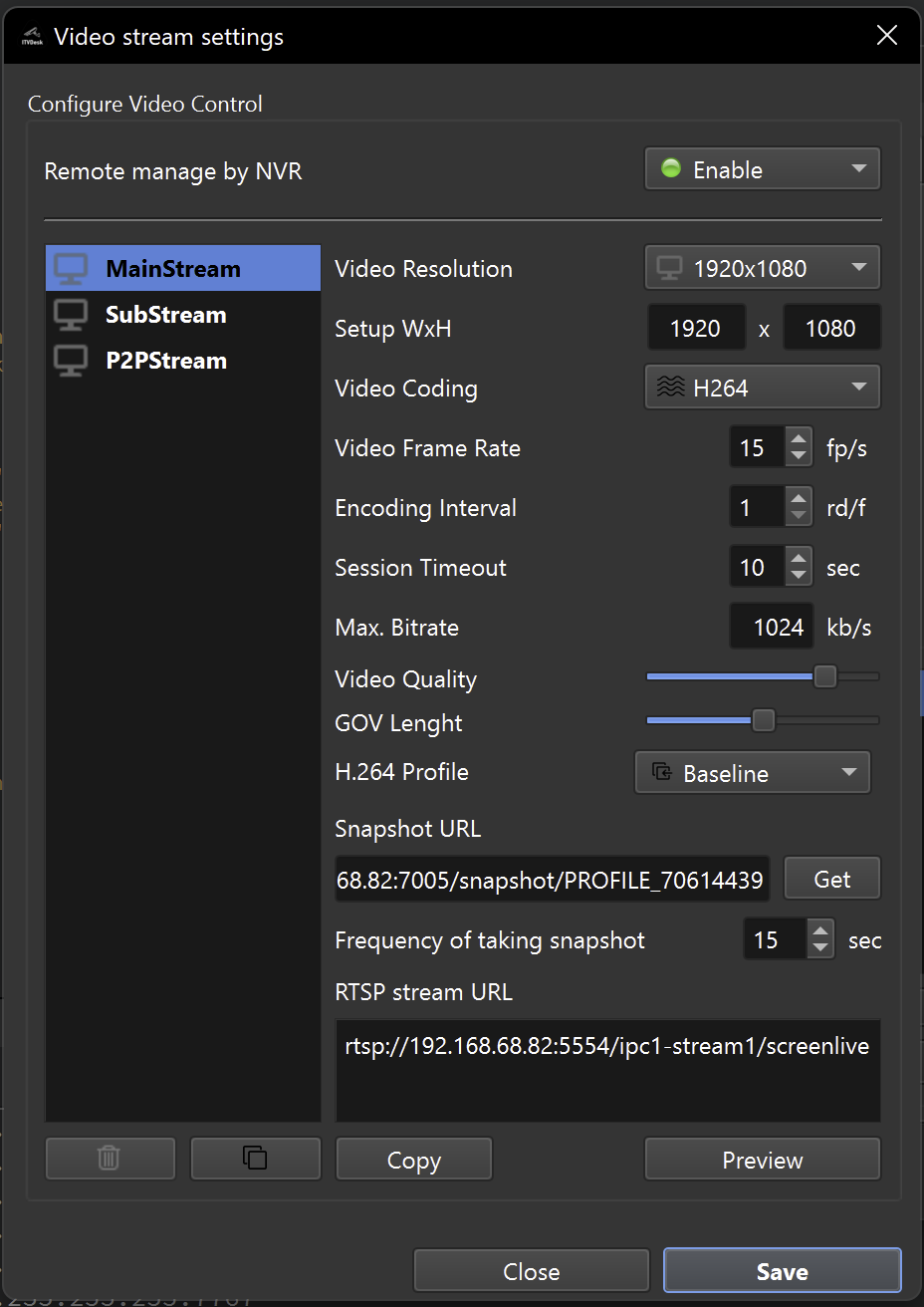
All video stream parameters are configured after the camera is created:
- Resolution
- Frame rate (FPS)
- Video codec (H.264 / H.265 / MJPEG)
- Bitrate and quality
- Audio enable / disable
- Recording enable / disable
These settings are adjusted from the main camera (front) settings and can be changed without restarting ITVDesk.
Performance Notes
- Combined Media performs real-time compositing
- Each source is processed independently
- Final encoding is done as a single stream
- GPU-accelerated processing and encoding provide higher real-time throughput
Performance depends on:
- Number of combined sources
- Output resolution
- Frame rate
- Selected codec
For best results:
- Prefer systems with modern GPU acceleration enabled
- Use reasonable resolutions (e.g. 1080p)
- Limit unnecessary sources
- Prefer H.264 for widest compatibility
Common Use Cases
Combined Media is ideal for:
- POS systems (screen + cashier camera)
- Operator monitoring
- Training and exams
- Control rooms
- Video wall preview
- Multi-source recording as a single stream
Summary
Combined Media Stream allows ITVDesk to:
- Merge multiple video and audio sources
- Create professional multi-view layouts
- Expose a single ONVIF/RTSP stream
- Reduce device and channel complexity
- Work with both modern and legacy VMS/NVR systems
This makes ITVDesk a powerful solution for advanced video composition without external hardware.
Next Steps
👉 External RTSP / ONVIF IP Camera