Client Access & IP Address Filter (Allowlist / Blocklist)
Overview
ITVDesk provides an IP Address Filter to control which client IP addresses are allowed to connect to a virtual IP camera (ONVIF/RTSP).
This is the main tool behind:
Client AccessUI actions- Context-menu actions like Connected Clients → Allow / Block
Rules are entered in CIDR form and support both IPv4 and IPv6.
Where To Find It
In the Front Application:
- Open the
Securitytab - Open
IP Address Filter
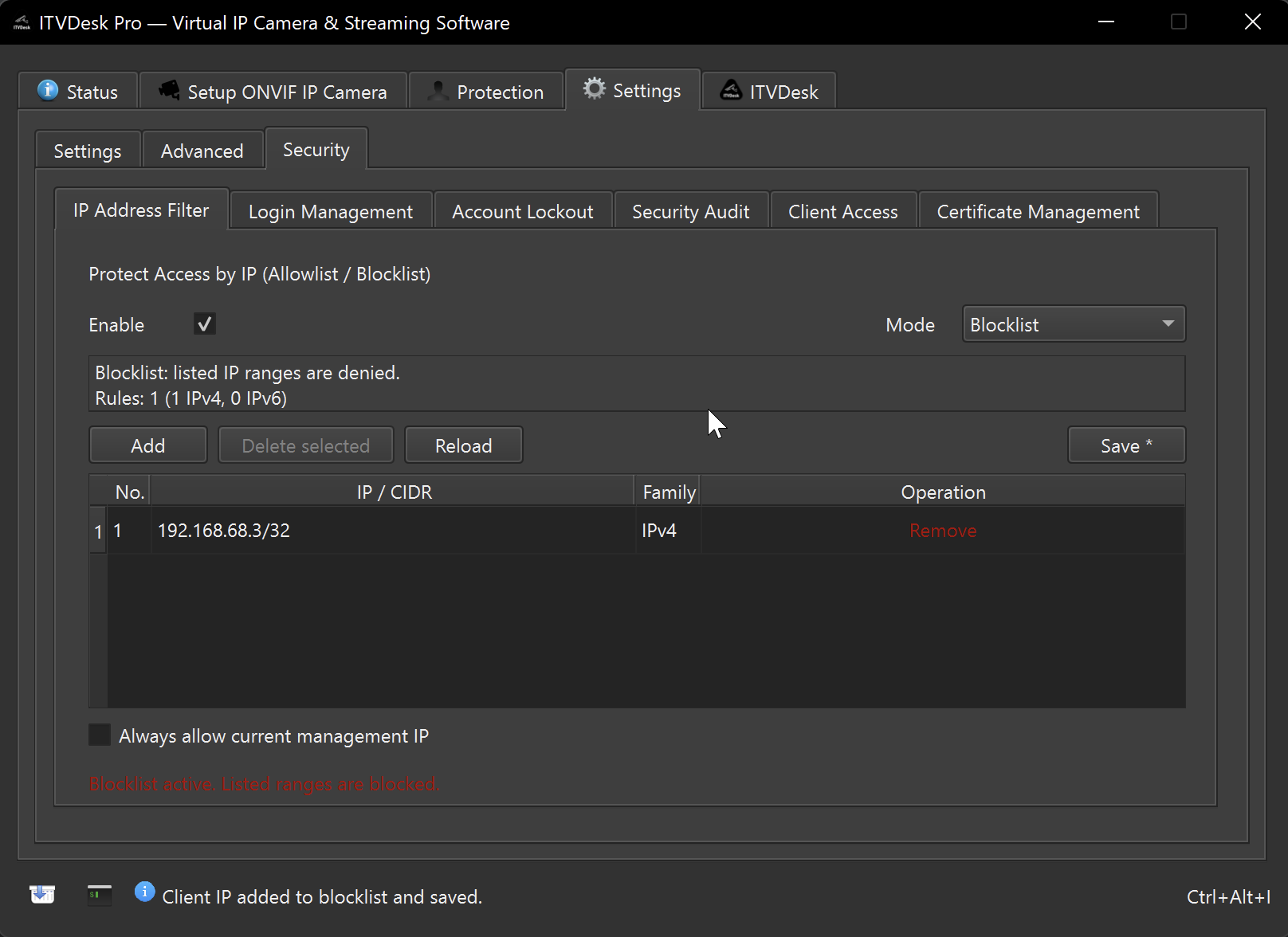
Related UI:
Security→Client Access(recent clients + quick Allow/Block actions)
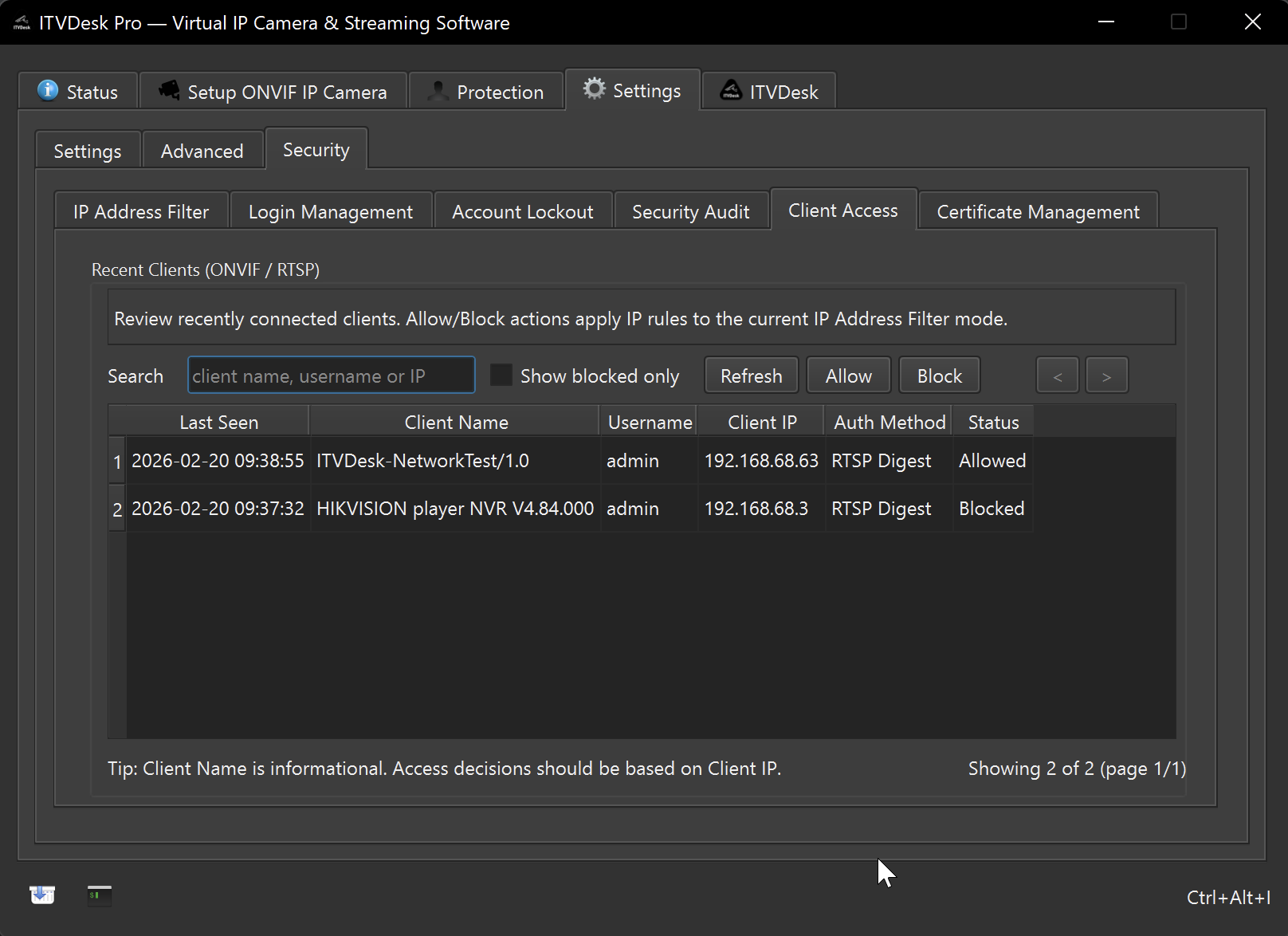
Rule Format
Use:
IP/PREFIX
Examples:
192.168.1.10/32(single IPv4 host)192.168.1.0/24(IPv4 network)2001:db8::1/128(single IPv6 host)
Filter Modes
The filter supports two modes:
Blocklist (Deny)
Default behavior:
- Clients are allowed unless they match a block rule.
Use this when:
- You want to block only specific IPs.
Allowlist (Allow)
Default behavior:
- Clients are blocked unless they match an allow rule.
Use this when:
- You want a strict access policy (only known IPs can connect).
Allow / Block Actions (What They Do)
ITVDesk keeps the selected filter mode stable once enabled.
Meaning of actions depends on the current mode:
If Allowlist mode is active
Allowadds the IP to the allowlistBlockremoves the IP from the allowlist
If Blocklist mode is active
Blockadds the IP to the blocklistAllowremoves the IP from the blocklist
Limits
The filter stores up to:
- 20 IPv4 rules
- 20 IPv6 rules
Total: 40 rules.
Management IP Safety Option
When using Allowlist mode, ITVDesk can keep the current management host IP accessible (to reduce the chance of locking yourself out).
If you enable allowlist and remove all rules, ITVDesk will warn before saving.
Tips
- In allowlist mode, always add your management workstation IP first.
- Use
/32and/128for single-client rules. - Use Connected Clients to quickly add/remove the currently connected client without manually typing its IP.