Installation
Installation Overview
ITVDesk is easy to install and does not require complex configuration or external dependencies. The application runs as a standalone solution and does not rely on cloud services or additional databases.
Installation can be performed on a single computer or on multiple systems, depending on user needs.
System Requirements
Supported Operating Systems
- Microsoft Windows 7, Windows 10, Windows 11 and newer (64-bit) (legacy 32-bit versions available)
- Windows Server editions
- macOS
- Linux distributions (portable AppImage format)
Some features depend on the operating system and hardware capabilities.
Hardware Requirements
- Multi-core CPU recommended
- Hardware video acceleration strongly recommended (ITVDesk uses GPU acceleration for decode/processing/encode when available for significantly better performance)
- Minimum 4 GB RAM (typical ITVDesk usage: ~250 MB RAM, ~300 MB disk space)
- Network connection (LAN)
Hardware Acceleration
ITVDesk supports GPU acceleration with Intel (QSV), NVIDIA (NVENC), and AMD (AMF).
The media pipeline uses modern GPU processing (D3D11 / Vulkan where available), with automatic fallback for maximum compatibility.
Performance note:
- A highly optimized CPU path ensures stable, low-latency streaming across all systems.
- GPU acceleration is used to offload H.264 / H.265 encoding, scaling, color conversion, and video processing, reducing overall system load.
Network Requirements
ITVDesk uses standard video surveillance protocols and operates within a local network environment.
Supported protocols include:
- RTSP / RTSPS video streaming
- ONVIF discovery, control, and event handling
- HTTP and optional HTTPS (TLS) communication
Ensure that the required network ports are allowed by the firewall if network restrictions or security policies are in place.
Default Network Ports
By default, ITVDesk uses the following network ports.
All ports can be changed in the application settings if required.
- TCP 7000 – ONVIF services
- TCP 5554 – RTSP server
- UDP 3702 – ONVIF discovery (probe)
- TCP 80 / 443 – RTSP over HTTP / HTTPS
- UDP 22000–30000 – RTSP media transport
Ensure that the selected ports are allowed by the firewall and are not already in use by other applications.
Changing Network Ports
All default ports can be modified directly in the application settings.
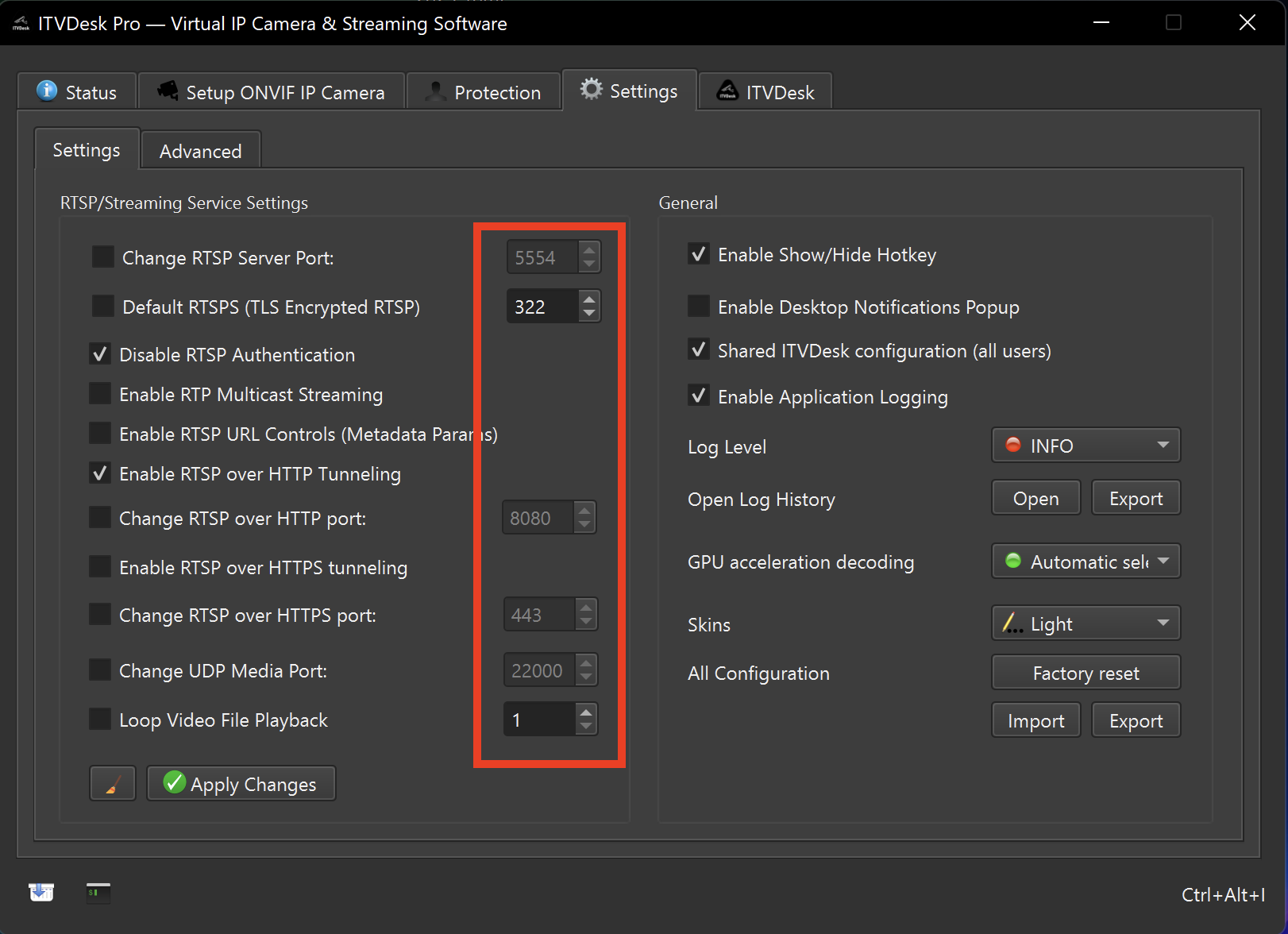
Navigate to:
Settings → RTSP / Streaming Service Settings
Here you can:
- Change RTSP and RTSPS ports
- Configure RTSP over HTTP / HTTPS tunneling ports
- Adjust the UDP media port range
- Enable or disable specific streaming features
After changing ports, click Apply Changes and restart streaming if required.
RTSP streaming uses multiple internal media channels (video, audio, control, and optional metadata). Depending on enabled features and the number of connected clients, a single RTSP connection may temporarily use several UDP ports from the media range.
This is normal behavior and ensures stable, high-quality streaming.
Network Port Conflicts & Cleanup Utility
In some environments, Windows or other applications may keep network ports open or cause port conflicts, even after an application has been closed.
If changing the port does not resolve the issue, ITVDesk provides a built-in Network Cleanup Utility.
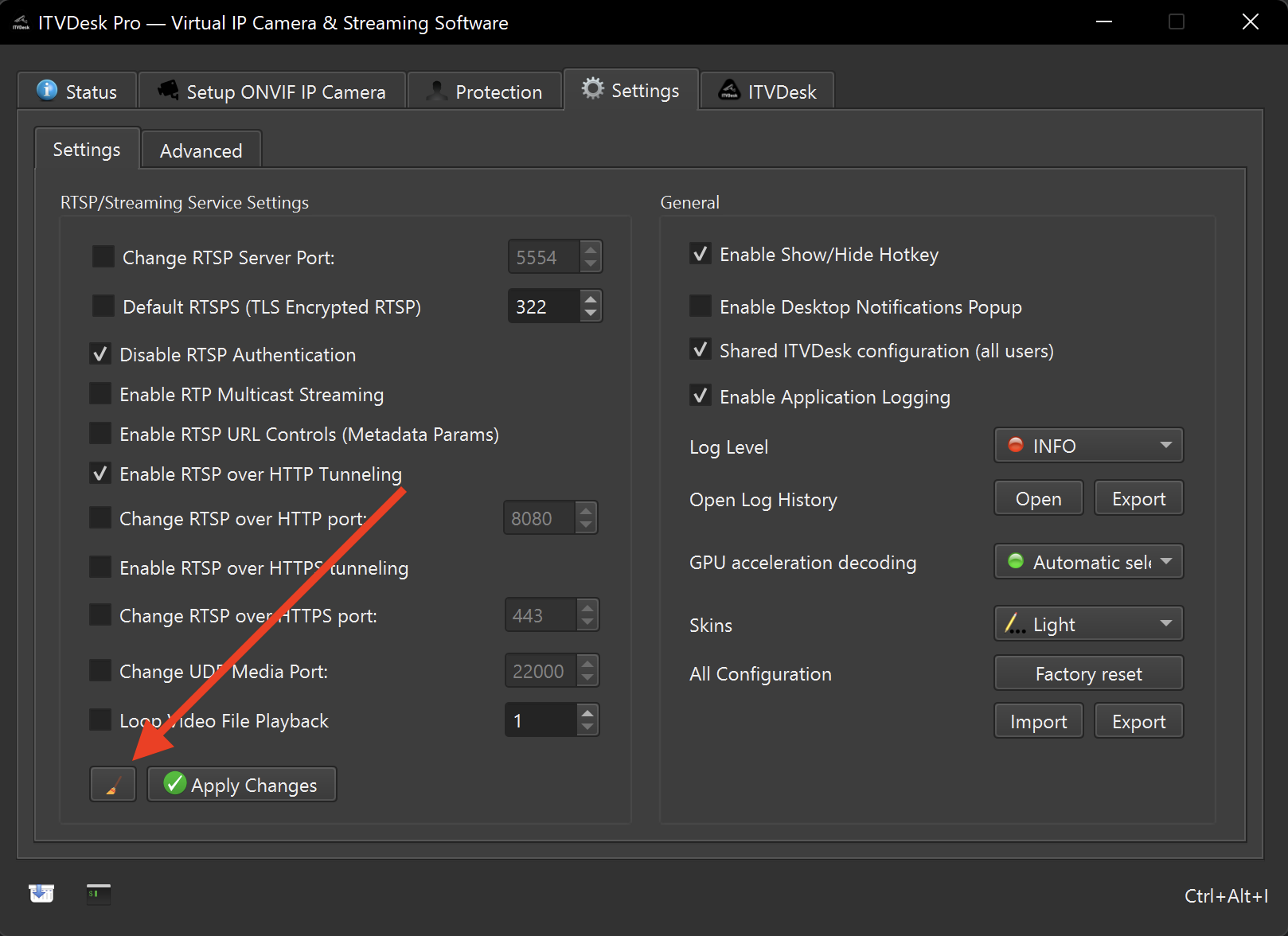
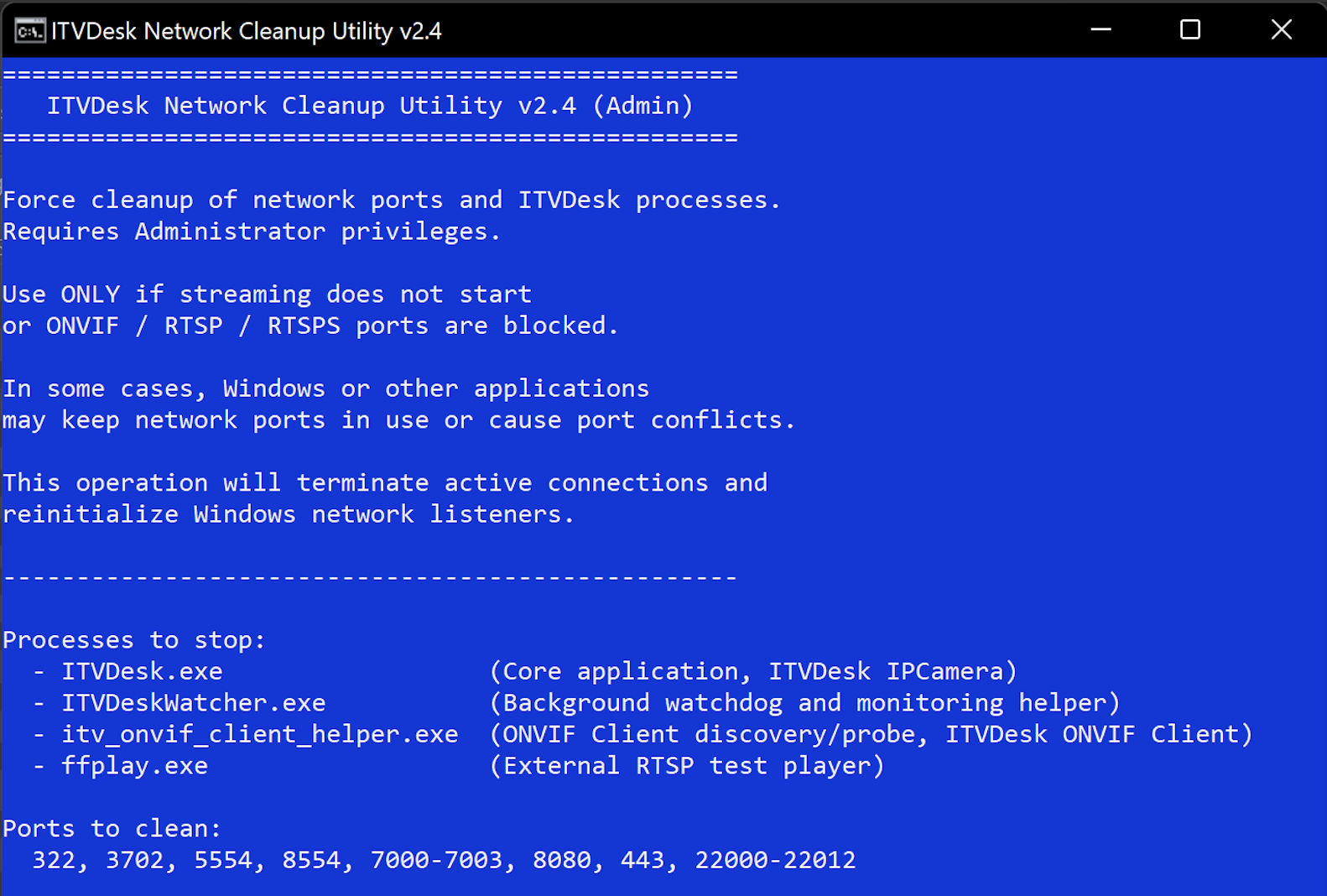
The cleanup utility:
- Terminates ITVDesk-related background processes
- Force-releases LISTENING network ports
- Reinitializes Windows network listeners
The Network Cleanup Utility requires Administrator privileges
and should be used only if streaming does not start or ONVIF / RTSP / RTSPS
ports remain blocked after changing ports.
If you encounter the error “Bind UDP socket fail, error = WSAE-10013”, this usually indicates a port conflict or insufficient permissions.
Verify that the following ports are free and accessible:
- UDP 3702 (ONVIF discovery)
- TCP 7000 (ONVIF services)
- TCP 5554 (RTSP services)
Consult your IT administrator if necessary.
Installation on Windows
- Download the ITVDesk installer.
- Run the installer.
- Follow the on-screen instructions.
- Complete the installation.
After installation, ITVDesk can be started manually or configured to start automatically with the operating system.
Installation on macOS
- Download the ITVDesk installer for macOS.
- Open the installer package.
- Follow the installation steps.
- Allow required system permissions if prompted.
macOS may display security warnings during the first launch due to system protection settings.
Installation on Linux
ITVDesk for Linux is distributed as a portable AppImage.
No installation is required:
- No system libraries are modified
- No system preferences are changed
- No dependencies are required
The AppImage format allows ITVDesk to run on both rolling and stable Linux distributions.
To run ITVDesk on Linux:
- Download the
ITVDesk.AppImagefile. - Make it executable:
chmod a+x ITVDesk*.AppImage