Adding ITVDesk to Hikvision NVR (ONVIF Example)
Overview
This example demonstrates how to add ITVDesk Virtual ONVIF IP Camera as a virtual ONVIF IP camera to a Hikvision NVR using the standard ONVIF protocol.
Once added, ITVDesk behaves like a regular IP camera:
- Live view works normally
- Recording is handled by the NVR
- Playback, timeline search, and export work as expected
- No special plugins or custom drivers are required
This approach is identical for other ONVIF-compatible NVRs and VMS systems.
Prerequisites
Before adding ITVDesk to the Hikvision NVR, ensure:
- ITVDesk is running and streaming
- ONVIF service is enabled in ITVDesk
- The correct ONVIF port is configured (default TCP 7000)
- Network connectivity exists between the NVR and the ITVDesk system
- Firewall allows ONVIF and RTSP ports
Step 1 – Open Hikvision Camera Management
- Open the Hikvision NVR web interface
- Navigate to: Configuration → Camera Management
- Select the IP Channel tab
- Click Add or Edit (Manual add)
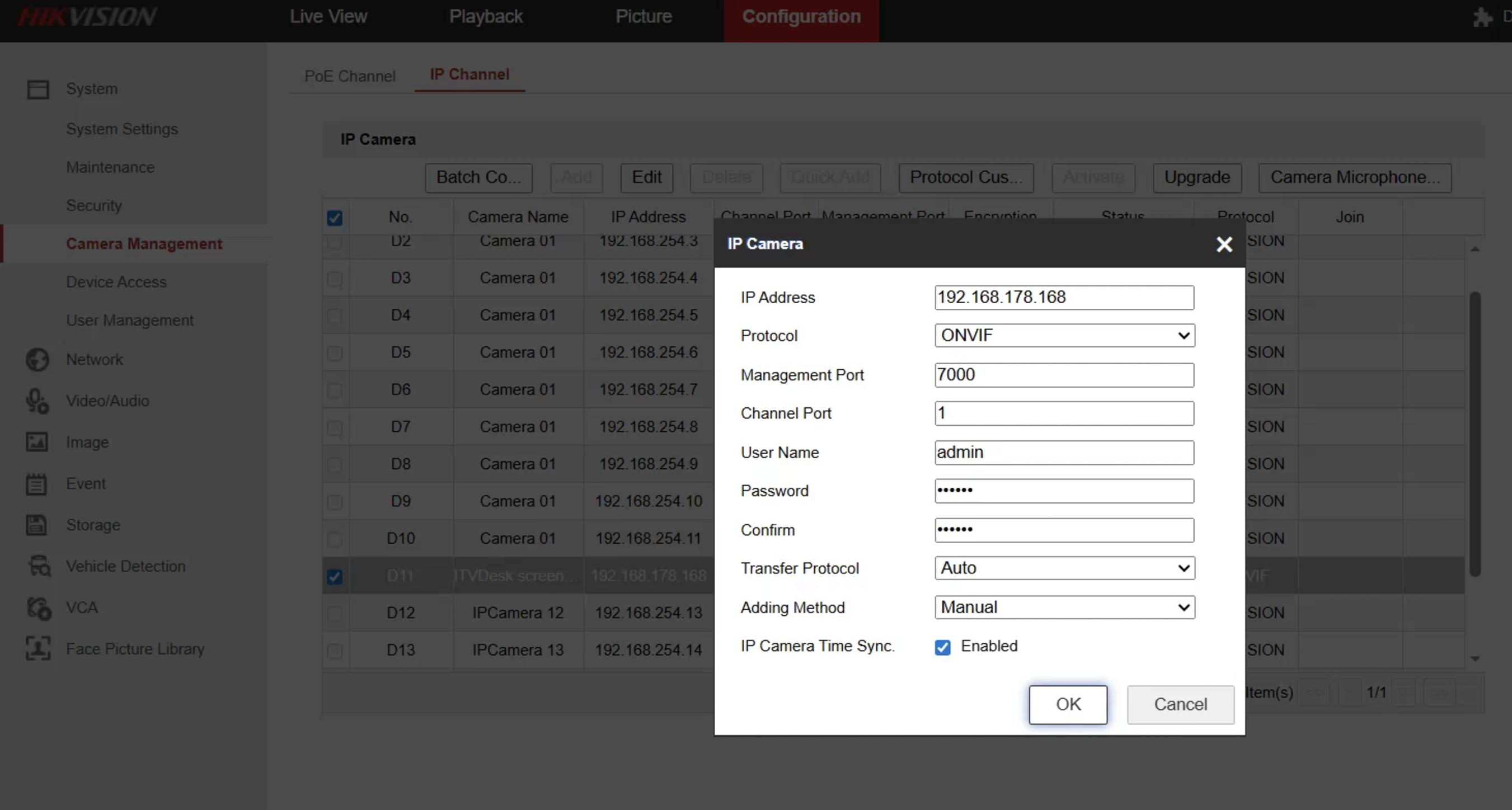
Step 2 – Add ITVDesk as ONVIF Camera
Fill in the camera parameters as follows:
-
IP Address
→ IP address of the ITVDesk computer
(example:192.168.178.168) -
Protocol
→ONVIF -
Management Port
→7000(default ITVDesk ONVIF port) -
Channel Port
→1 -
Username / Password
→ ITVDesk ONVIF credentials -
Transfer Protocol
→Auto -
Adding Method
→Manual -
IP Camera Time Sync
→ Enabled (recommended)
Confirm by clicking OK.
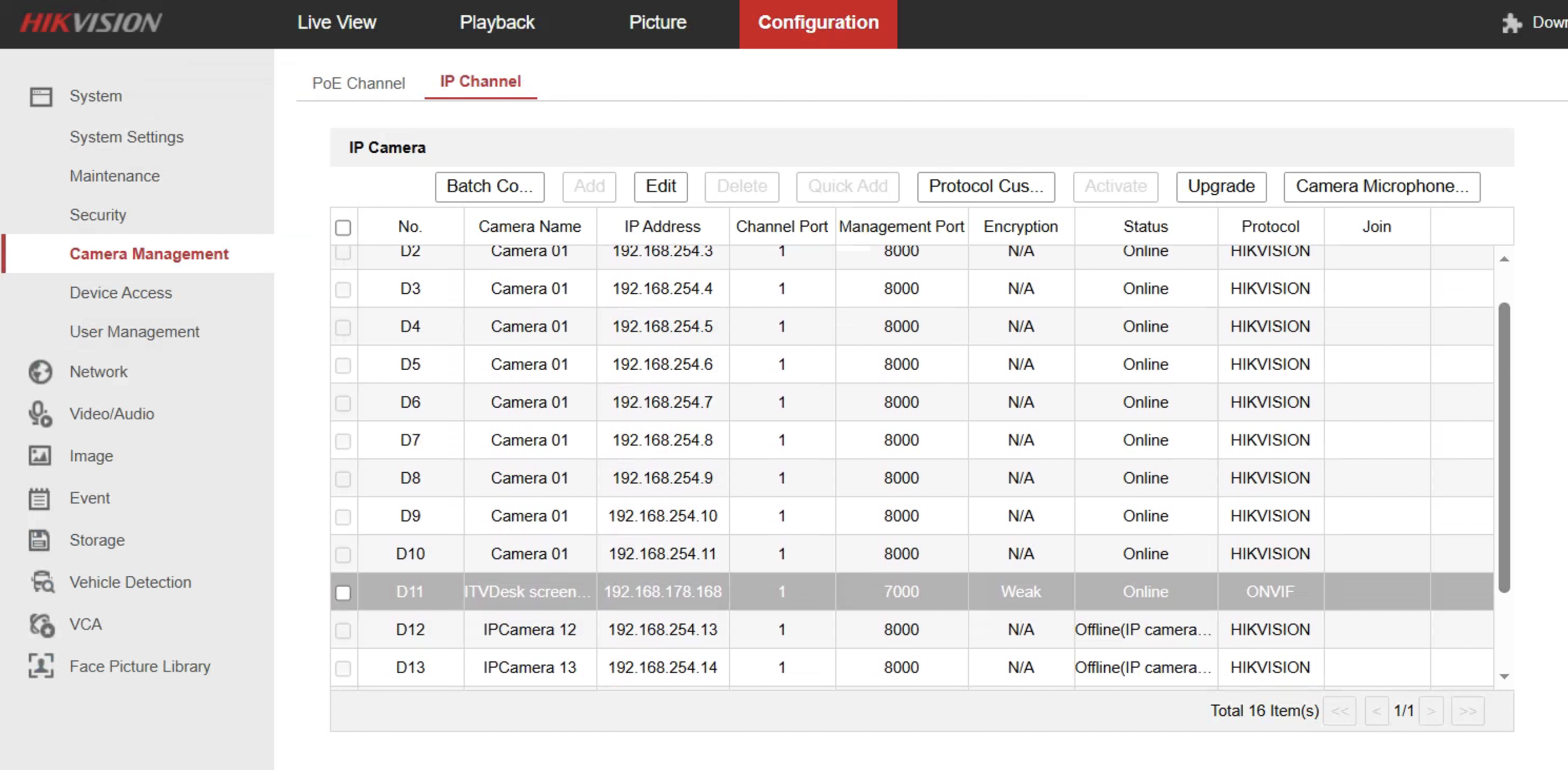
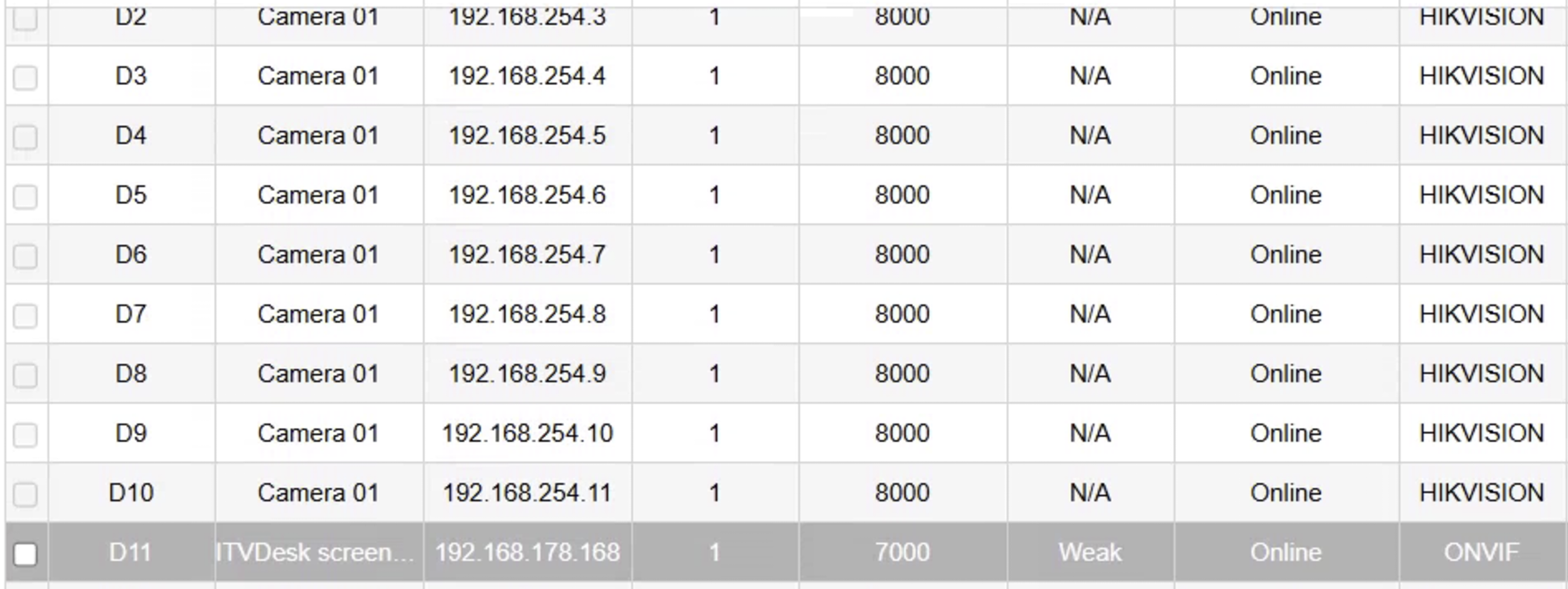
Step 3 – Verify Camera Status
After adding the camera:
- Status should change to Online
- Protocol should display ONVIF
- Encryption may show Weak (normal for standard ONVIF)
ITVDesk will now appear in the camera list like any other IP camera.
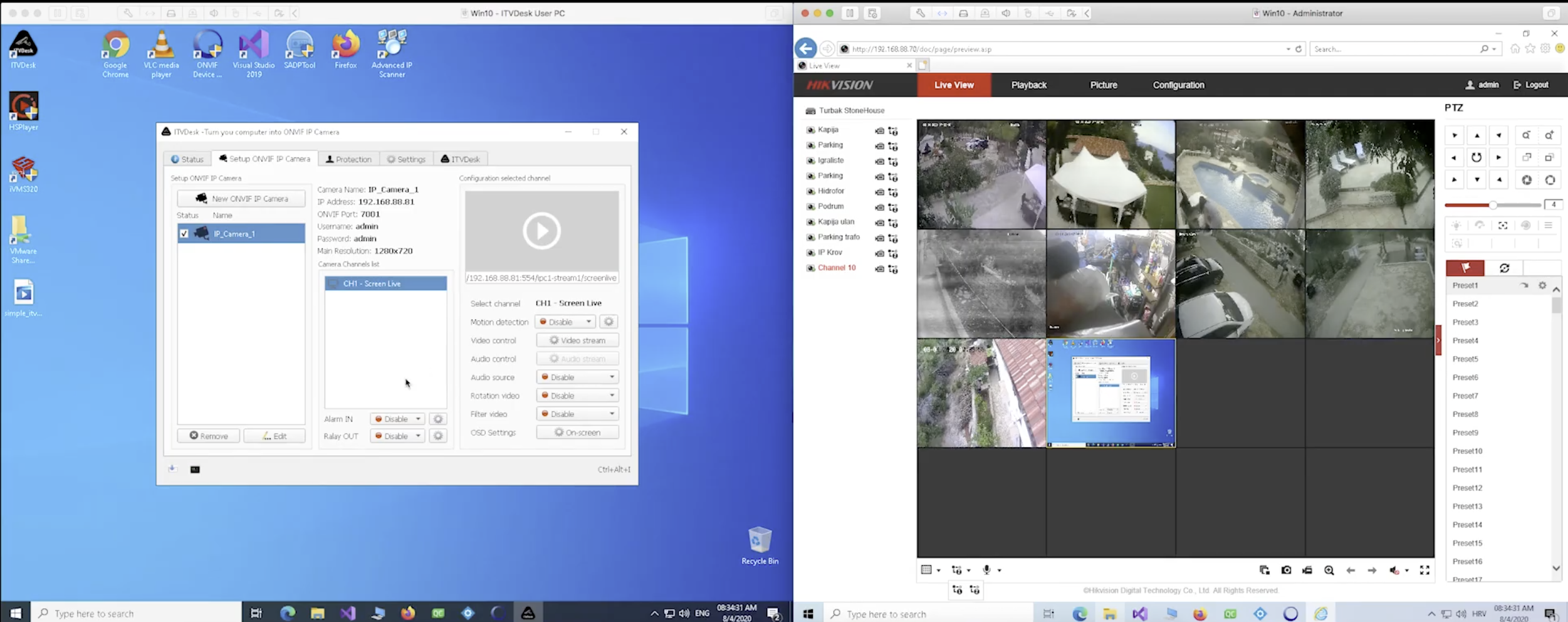
Live View & Recording
Once added successfully:
- Live video is available in Live View
- Recording is handled entirely by the Hikvision NVR
- Playback and timeline search work normally
- Multiple ITVDesk instances can be added as separate cameras
ITVDesk does not require any special Hikvision integration — ONVIF ensures full compatibility.
Notes & Troubleshooting
- If the camera does not come online:
- Verify the ONVIF port in ITVDesk
- Ensure no port conflicts exist
- Check firewall rules on the ITVDesk system
- If streaming does not start:
- Try changing the RTSP or ONVIF port in ITVDesk
- Restart the ITVDesk streaming service
For persistent port conflicts, ITVDesk provides a Network Cleanup Utility to reinitialize Windows network listeners.
Summary
Using ONVIF, ITVDesk can be seamlessly integrated into Hikvision NVR systems and treated as a standard IP camera.
This method is recommended for:
- Centralized recording
- Multi-camera environments
- Hybrid physical + virtual camera deployments