Startup & Visibility Options
Overview
The Startup & Visibility options control how ITVDesk behaves when the computer starts and how the application is shown (or hidden) during normal operation.
These options are commonly used to:
- Run ITVDesk automatically in the background
- Prevent users from accidentally closing the application
- Provide quick show/hide access via keyboard
- Deploy ITVDesk on shared or monitored systems
Auto Start on System Startup

Auto Start ITVDesk Every Time the User Starts the Computer
When this option is enabled:
- ITVDesk starts automatically when the user logs into Windows
- No manual launch is required
- Streaming and ONVIF services become available immediately
This is useful for:
- Surveillance systems
- Always-on monitoring
- Kiosk and unattended systems
When using Shared ITVDesk Configuration, enabling or disabling auto-start requires running ITVDesk in Administrator mode, because the startup entry applies to all users on the computer.
Prevent Computer Sleep Mode
Enable Prevent for Computer Sleep Mode
When enabled:
- ITVDesk prevents the operating system from entering sleep mode
- Streaming and recording remain uninterrupted
- The computer stays awake while ITVDesk is running
Recommended for:
- Continuous video streaming
- Long-term monitoring
- Systems without user interaction
Hide ITVDesk from Installed Programs List
Enable Hide ITVDesk in Uninstall Programs List
When enabled:
- ITVDesk is hidden from the Windows Programs and Features list
- Prevents accidental removal by end users
Typical use cases:
- Managed workstations
- Lab environments
- Systems controlled by administrators
Startup User Notification
Alert Users to Computer Surveillance on Startup
When enabled:
- A notification is shown on startup
- Informs users that computer surveillance or monitoring is active
This option helps with:
- Transparency
- Compliance with internal policies
- Legal or organizational requirements
Startup Visibility Mode
The Startup Visibility Mode controls how ITVDesk appears after startup.
Visible (Show on Startup)
- ITVDesk window is shown normally
- User can interact with the UI immediately
- Recommended for configuration and testing
Hide as Notification Tray Icon (System Tray)
- ITVDesk starts minimized
- Only a tray icon is visible
- Application runs silently in the background
Ideal for:
- Continuous background operation
- Operator workstations
- Reduced screen clutter
Hide Everything (Use Hotkey to Show/Hide)
- ITVDesk runs completely hidden
- No taskbar window is shown
- Application is controlled via keyboard hotkey
This mode is intended for:
- Background-only operation
- Kiosk or controlled environments
- Advanced users and administrators
Show / Hide Hotkey
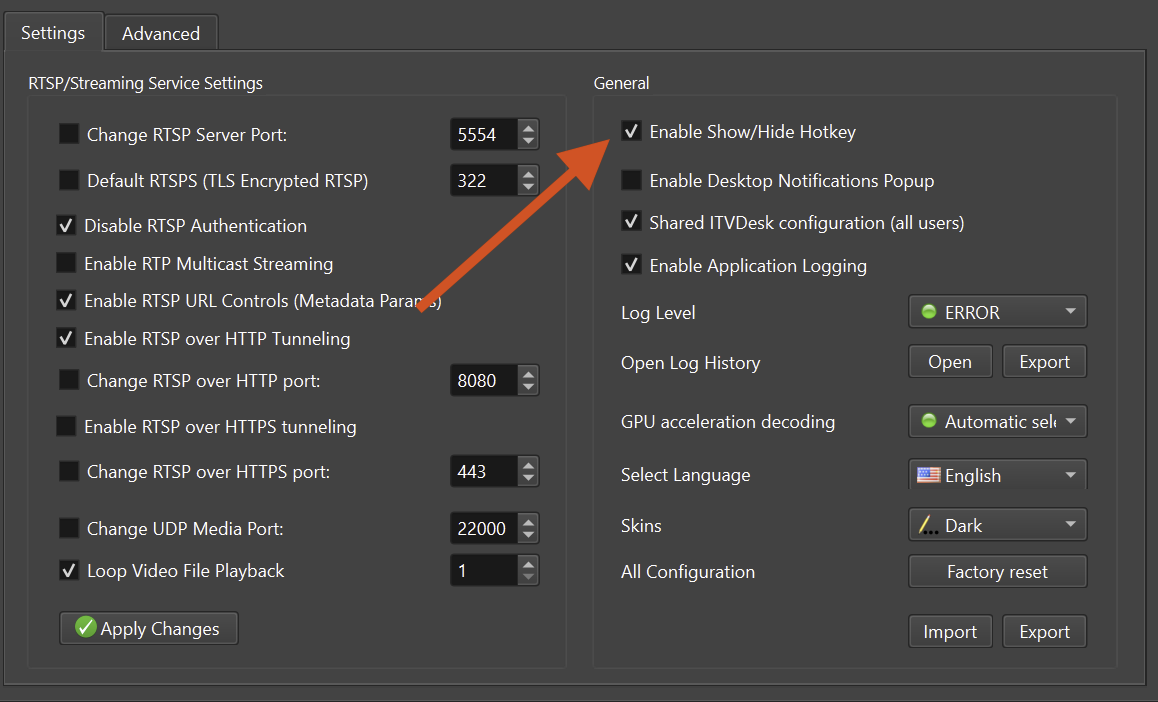
Enable Show/Hide Hotkey
When enabled:
- A global keyboard shortcut is registered
- Allows instant show or hide of the ITVDesk window
- Works even when the application is hidden
Typical usage:
- Quickly access the UI for maintenance
- Hide the application during normal operation
- Control visibility without stopping streams
The hotkey can be customized in the application settings.
Recommended Configurations
Background Monitoring System
- Auto Start: Enabled
- Visibility: Hide as Tray Icon or Hide Everything
- Show/Hide Hotkey: Enabled
- Prevent Sleep: Enabled
Lab or Test Environment
- Auto Start: Optional
- Visibility: Visible
- Show/Hide Hotkey: Enabled
Shared or Kiosk PC
- Auto Start: Enabled
- Visibility: Hide Everything
- Show/Hide Hotkey: Enabled
- Shared Configuration: Enabled
Summary
Startup & Visibility options allow ITVDesk to:
- Start automatically with the system
- Run silently in the background
- Be accessed instantly via hotkey
- Adapt to surveillance, lab, and enterprise environments
Correct use of these options ensures reliable operation and a clean user experience.