RTP Multicast Streaming
Overview
RTP Multicast allows multiple RTSP clients to receive the same audio and video stream using a single multicast RTP transmission.
This significantly reduces:
- CPU usage
- Network bandwidth
- Encoder load
RTP Multicast is especially useful when multiple viewers watch the same ITVDesk Virtual ONVIF IP Camera stream inside a local network (LAN).
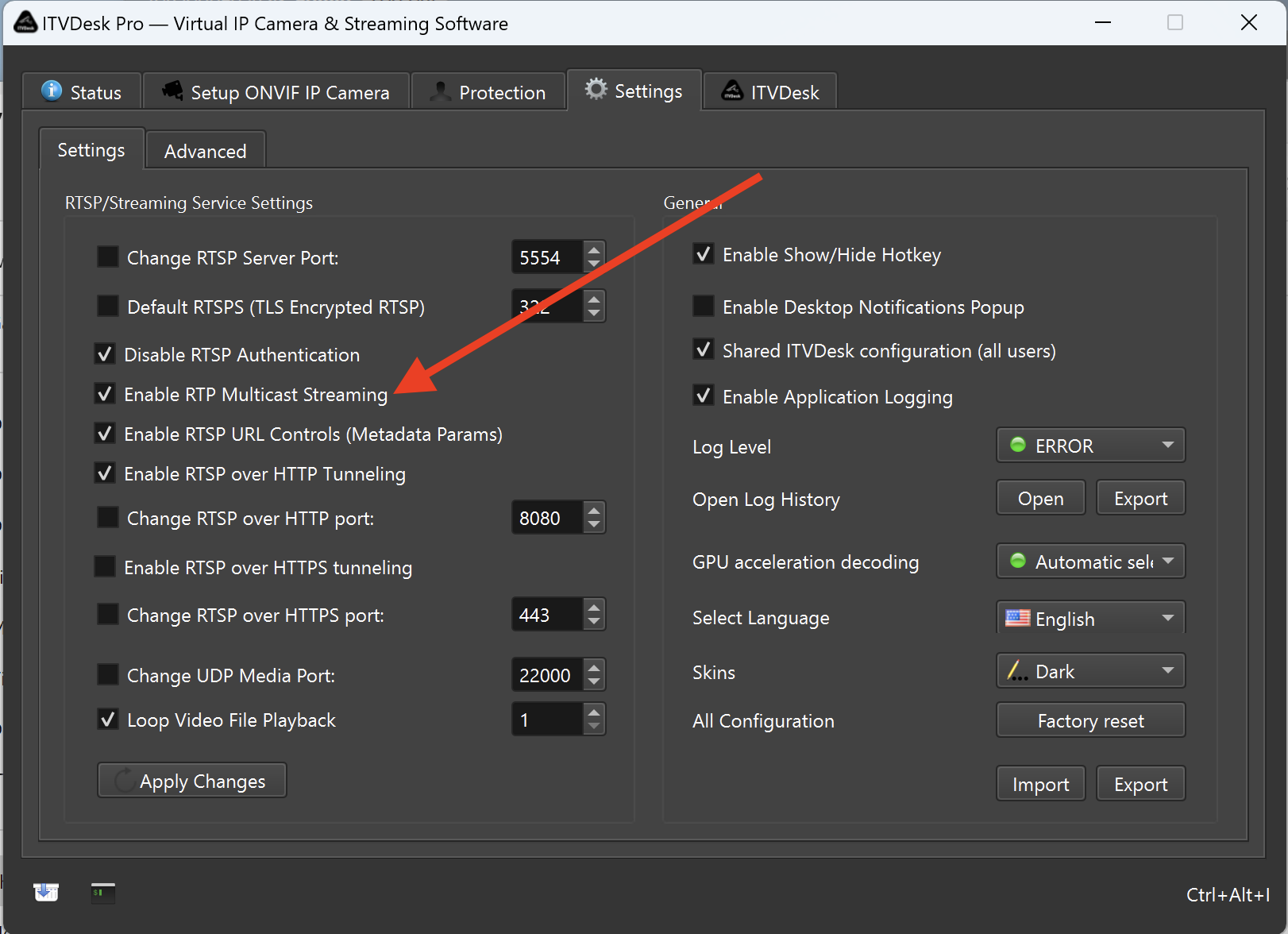
How RTP Multicast Works in ITVDesk
When RTP multicast is enabled:
- The RTSP server assigns a multicast IP address automatically
- Multicast addresses are randomly selected from the 232.x.x.x range
- The multicast address cannot be configured manually
- The RTSP stream URL remains unchanged
Example RTSP URL (same as unicast):
rtsp://<ITVDESK_IP>:5554/ipc1-stream1/screenlive
Multicast Session Behavior
RTP multicast sessions behave as follows:
- The first RTSP client starts the encoder and transmits audio/video
- Additional RTSP clients reuse the same multicast RTP stream
- All clients receive data from the same multicast address
- Only one encoder instance is active per stream
This design allows multiple viewers without duplicating encoding work.
Configuration
To enable RTP multicast streaming, the multicast option must be enabled in ITVDesk Settings (Streaming Service Settings).
RTP Multicast is a global RTSP server option and applies to all streams.
Once enabled:
- New RTSP sessions may automatically use multicast
- No special RTSP URL or parameter is required
- Clients must support multicast reception
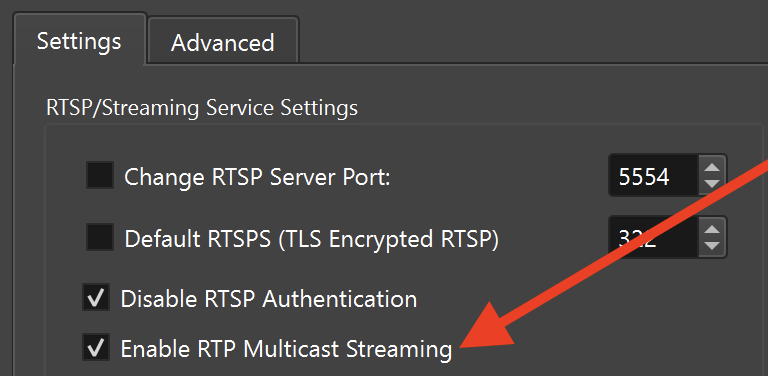
RTSP Stream Address
The RTP multicast stream uses the same RTSP URL as a standard unicast stream.
There is no separate multicast URL.
RTSP clients that support multicast will automatically join the multicast group when the stream is opened.
Client Compatibility
To receive RTP multicast streams, the client must support:
- RTP multicast
- UDP transport
- Multicast routing (IGMP)
Compatible clients typically include:
- VLC Media Player
- Professional VMS systems
- ONVIF-compliant RTSP clients
Testing RTP Multicast
RTP multicast playback can be tested using a multicast-capable RTSP client.
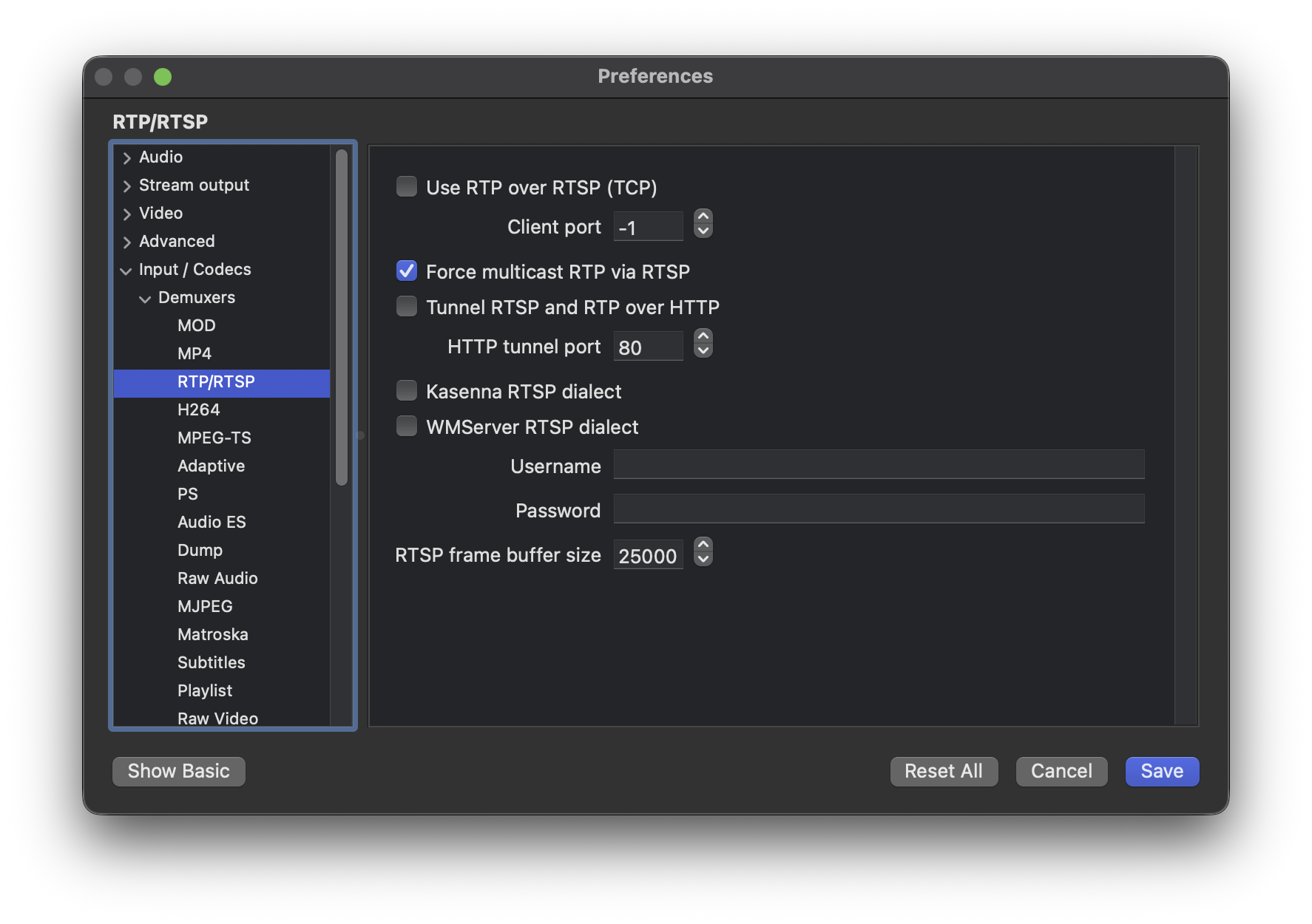
Open the stream using the standard RTSP URL. Use VLC to test RTP multicast with the following settings:
Network Requirements
RTP multicast requires:
- Multicast-enabled switches and routers
- Proper IGMP support
- UDP traffic allowed on the network
⚠️ RTP multicast does not work across:
- NAT boundaries
- Public Internet connections
- Networks without multicast routing
Limitations & Notes
- RTP multicast is intended for LAN environments
- Not suitable for WAN or Internet streaming
- Multicast IP addresses are assigned automatically
- SRTP multicast is not supported
- Firewalls must allow UDP multicast traffic
When multiple NVR systems are connected to ITVDesk:
- Unicast RTSP is recommended if more than one NVR records the same stream
- Each NVR gets its own RTSP session with independent timing and control
RTP multicast is best suited for live viewing scenarios (video walls, monitoring stations, multiple viewers), not for multi-NVR recording setups.
Streaming Topology Overview
Unicast (Recommended for Multiple NVR Recording)
Each NVR receives its own independent RTSP session.
          ┌──────────┐
          │ ITVDesk  │
          └────┬─────┘
               │ RTSP (Unicast)
        ┌──────┴──────┐
        │             │
┌───────▼───────┐ ┌───▼─────────┐
│    NVR #1     │ │   NVR #2    │
│  Recording    │ │  Recording  │
└───────────────┘ └─────────────┘
- Independent timing
- Independent reconnect
- Reliable multi-NVR recording
- Recommended for production use
RTP Multicast (Live Viewing Only)
All clients receive the same shared RTP stream.
          ┌──────────┐
          │ ITVDesk  │
          └────┬─────┘
               │ RTP Multicast (232.x.x.x)
        ┌──────┴──────┐
        │             │
┌───────▼───────┐ ┌───▼─────────┐
│    NVR #1     │ │   NVR #2    │
│  Live View    │ │  Live View  │
└───────────────┘ └─────────────┘
- Single encoder instance
- Shared RTP stream
- No per-client isolation
- Not recommended for multi-NVR recording
Typical Use Cases
- Control rooms
- Monitoring walls
- Training environments
- Multiple operators viewing the same live stream
- Bandwidth-optimized LAN deployments
Summary
RTP Multicast in ITVDesk provides:
- Efficient multi-client streaming
- Single encoder instance per stream
- Reduced CPU and network usage
- Transparent RTSP URL usage
- Ideal LAN-based stream distribution
This feature is recommended when many viewers need the same live stream inside a controlled network environment.