P2P Remote Access (ITVDesk-Connect)
Overview
ITVDesk P2P Remote Access enables secure remote access to ITVDesk systems without requiring public IP addresses, port forwarding, or VPN configuration.
This feature allows remote monitoring and control as if the system were on the local network, using a secure peer-to-peer connection established through ITVDesk-Connect.
How It Works
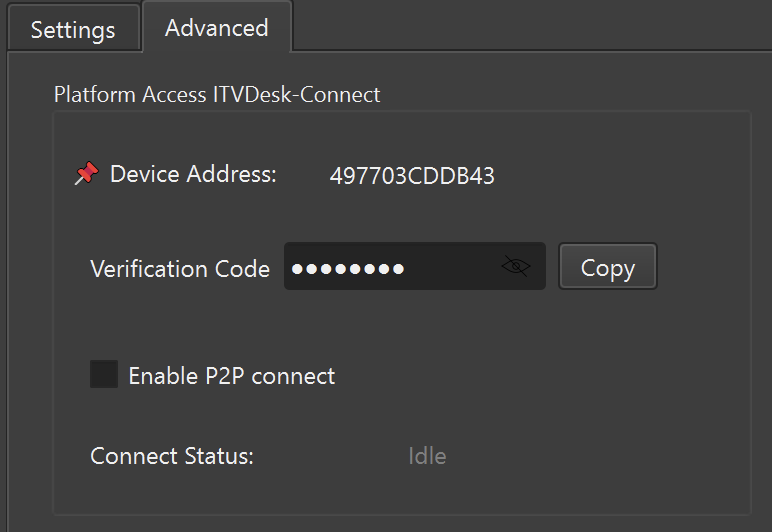
Each ITVDesk installation generates a unique:
- Device Address – permanent identifier of the computer
- Verification Code – secure pairing token
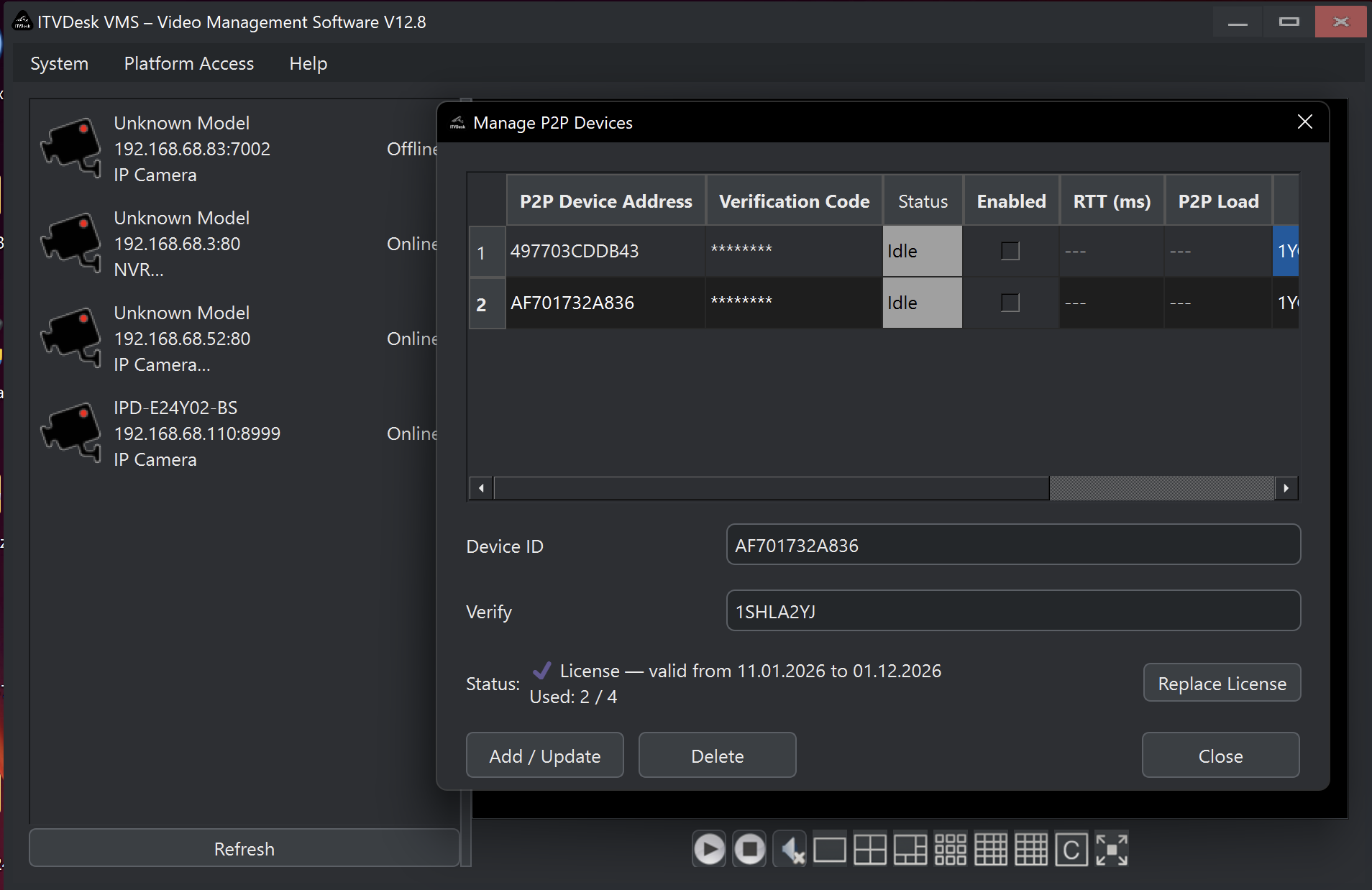
To establish a remote connection:
- Enter the Device Address
- Enter the Verification Code
- Enable P2P connect
Once connected, supported remote clients can reach the ITVDesk system without exposing the local network directly to the internet.
Secure Remote Connection
The P2P connection is:
- End-to-end secured
- Encrypted
- Direct between devices
No incoming ports need to be opened on the router or firewall.
This significantly reduces attack surface compared to traditional port-forwarding or public RTSP access.
Remote Capabilities
After the connection is established, all camera operations behave the same as on a local network:
- Live video preview
- Multi-camera monitoring
- Camera configuration and management
- ONVIF device control
- Real-time interaction with streams
Remote cameras appear and operate exactly like local cameras.
Multi-System Monitoring
ITVDesk supports simultaneous connections to multiple remote computers.
This enables:
- Centralized monitoring of multiple locations
- Scalable deployments (retail, offices, distributed sites)
- Unified live view across many systems
All streams are delivered with highly optimized real-time video transport to ensure smooth live playback even over long-distance connections.
Use Cases
Typical use cases include:
- Remote surveillance and monitoring
- IT and system administration
- Multi-site camera management
- Secure access without VPN
- Temporary or mobile installations
Notes & Recommendations
P2P Remote Access is intended for remote connectivity only. Local LAN access remains the preferred option when available.
Keep your Verification Code private. Anyone with both the Device Address and Verification Code can request a connection.
Availability
P2P Remote Access is available in ITVDesk Pro and requires:
- Internet connectivity on both sides
- ITVDesk-Connect enabled on the target system
- A valid P2P license on the VMS side