Online Activation
When to Use Online Activation
Online activation is recommended when the system has internet access and license flexibility is required.
This method allows license transfers according to the selected license type (Trial, Subscription Floating, or Perpetual license).
Online Activation Process
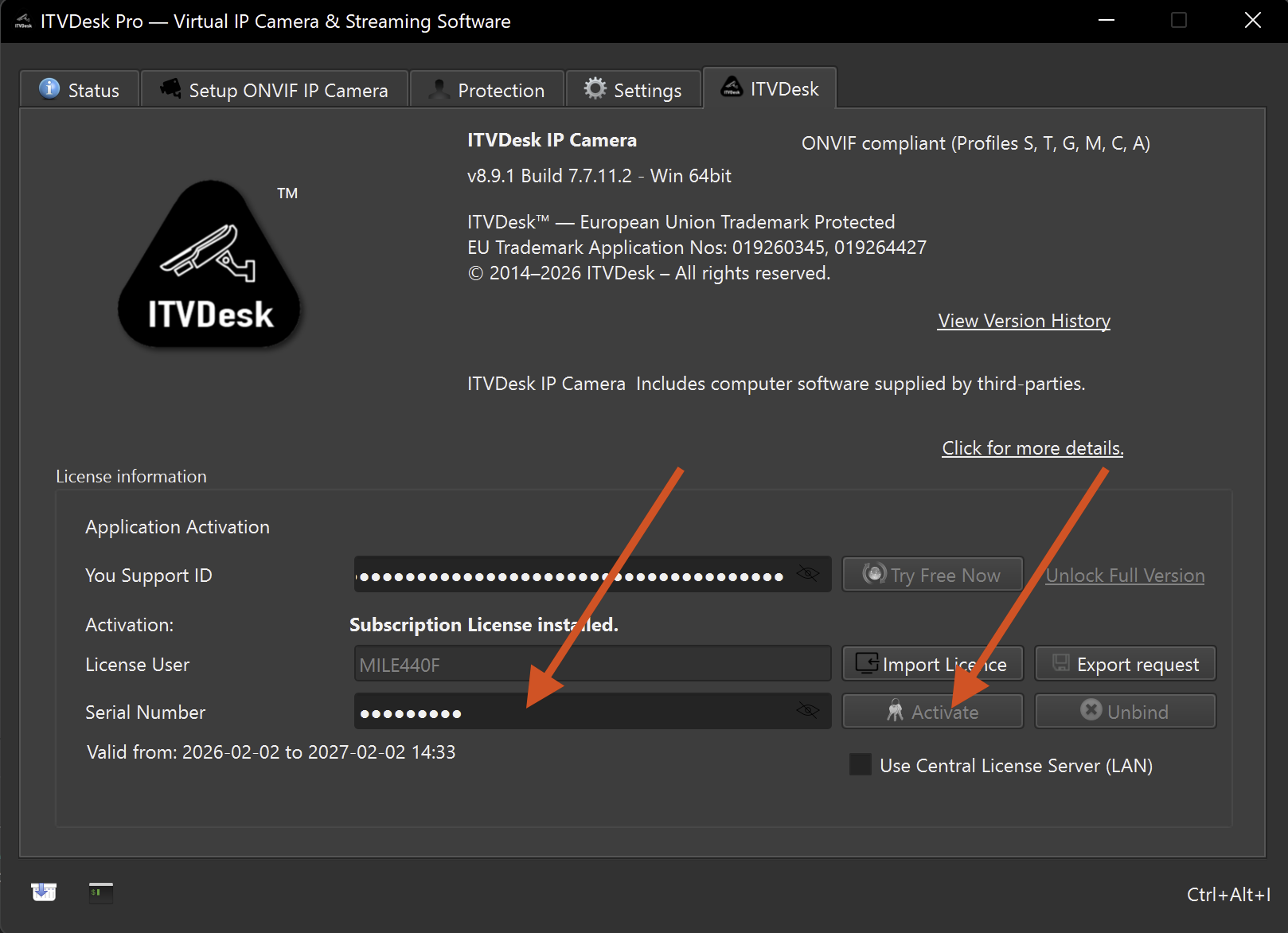
To activate ITVDesk using online activation:
- Purchase a license from the ITVDesk web shop
- Receive the activation key (serial number) via email
- Open the ITVDesk application
- Open the License / Activation dialog
- Enter the activation key (S/N)
- Confirm activation
Once activation is completed, the license status is updated immediately and the application becomes fully operational.
Notes
tip
An active internet connection is required during online activation.
- The activation key is validated automatically
- If the activation key is valid, no additional steps are required
- License status can be verified directly in the ITVDesk user interface
If online activation is not possible due to network restrictions, refer to the Offline Activation section.