Offline Activation
When to Use Offline Activation
Offline activation is intended for systems where security, privacy, or network isolation is required, such as:
- Closed networks
- Protected or government environments
- Systems without internet access
This method does not require the target system to have internet access.
Offline Activation Scenarios
Offline activation is performed in cooperation with ITVDesk support and is not automatic.
Two scenarios are supported:
Per-Computer Offline Activation
Per-computer offline activation is intended for single systems or small installations where centralized license management is not required.
In this scenario:
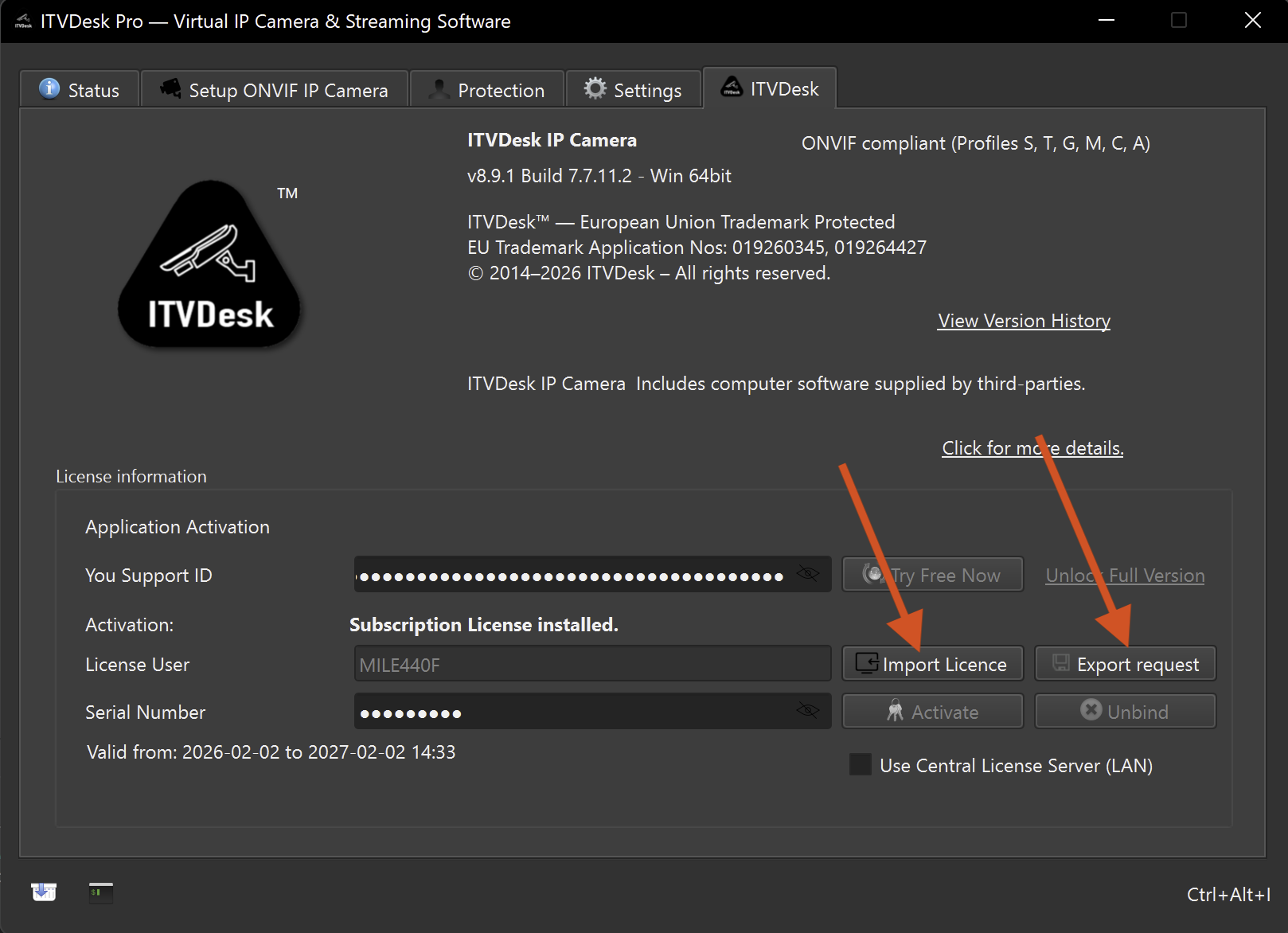
- An Export Request File (ERF) is generated directly from the ITVDesk application
- The ERF file is sent to ITVDesk support
- An activation response file is returned and imported back into ITVDesk
This method provides secure offline activation for standalone systems.
Centralized Offline Activation (Large Systems)
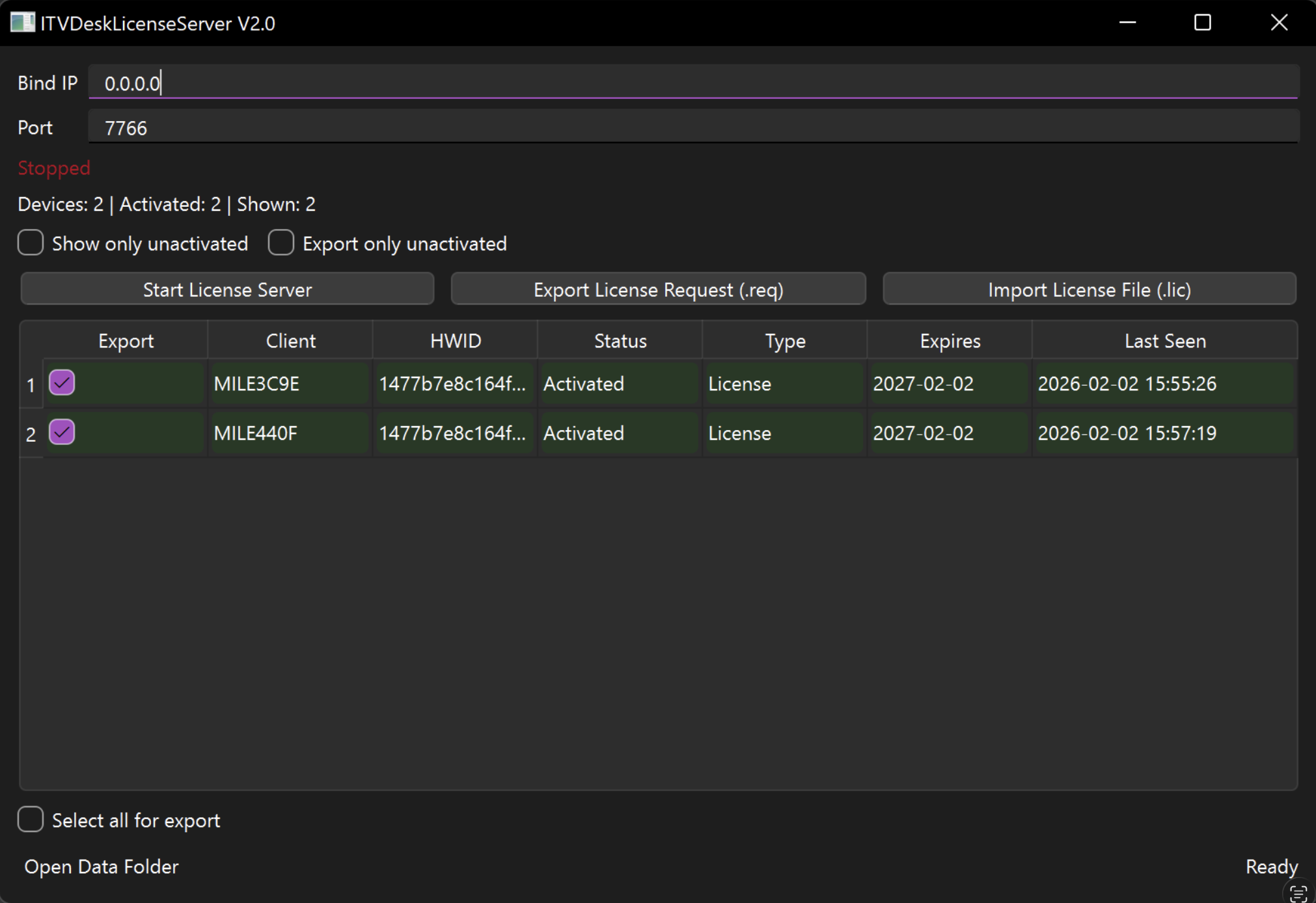
For larger installations, offline activation is managed using the ITVDeskLicenseServer application.
This approach is designed for large-scale and secured environments where licensing must be handled centrally and efficiently.
Using the ITVDeskLicenseServer application, administrators can:
- Collect license requests from multiple computers
- Generate single or mass license request files
- Avoid manual request generation on each workstation
- Manage license requests centrally
The ITVDeskLicenseServer is used to generate and manage license requests. License activation files are still issued by ITVDesk support.
Enable License Import from ITVDeskLicenseServer
When using centralized offline activation, the client application must be configured to accept licenses issued via the ITVDeskLicenseServer.
Enable the option “Use Central License Server (LAN)” in the ITVDesk client application.
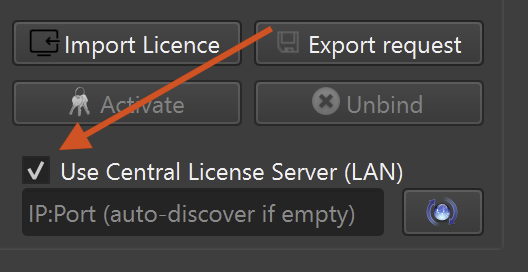
When this option is enabled, ITVDesk can receive licenses generated through the central license server workflow.
Automatic Discovery vs Manual IP:Port Configuration
The central license server can be detected in two ways:
Automatic Discovery (Recommended)
If the IP:Port field is left empty, ITVDesk will automatically discover the ITVDeskLicenseServer on the local network.
Automatic discovery is recommended when:
- The license server and clients are on the same LAN
- Multicast or broadcast traffic is allowed
- No strict network segmentation is in place
This mode simplifies deployment and requires no manual configuration on client machines.
Manual IP and Port Configuration
Administrators can manually specify the IP address and port of the ITVDeskLicenseServer if required.
Manual configuration is recommended when:
- The network is segmented (VLANs, routed subnets)
- Broadcast or multicast discovery is blocked
- Firewall rules restrict automatic discovery
- The license server is located on a different subnet
- Higher control and predictability are required
In this case, enter the exact IP address and port of the license server to ensure reliable communication.
The “Use Central License Server (LAN)” option must be enabled before importing or receiving licenses generated through the centralized workflow.
Offline Activation Process
- Generate an Export Request File (ERF):
- From the ITVDesk application (per computer), or
- Using the ITVDeskLicenseServer (centralized / mass request)
- Send the request file to ITVDesk support
- Receive the activation response file
- Import the response file back into ITVDesk
(or distribute it via the ITVDeskLicenseServer)
Important Notes
- Offline activation permanently binds the license to the specific computer
- Once activated offline, the license cannot be transferred
- This method provides maximum security but reduces license mobility