Security Lockout, Burst Protection & Audit Log
Overview
ITVDesk includes security controls designed to reduce brute-force and abuse attempts against ONVIF/RTSP authentication:
- Lockout policy (failed login attempts)
- Burst policy (too many requests in a time window)
- Audit events (who tried to connect, from where, and the result)
These settings are configured from the ITVDesk UI and persisted in an encrypted security settings file.
Where To Find It
In the Front Application:
- Open the
Securitytab - Use these sub-tabs:
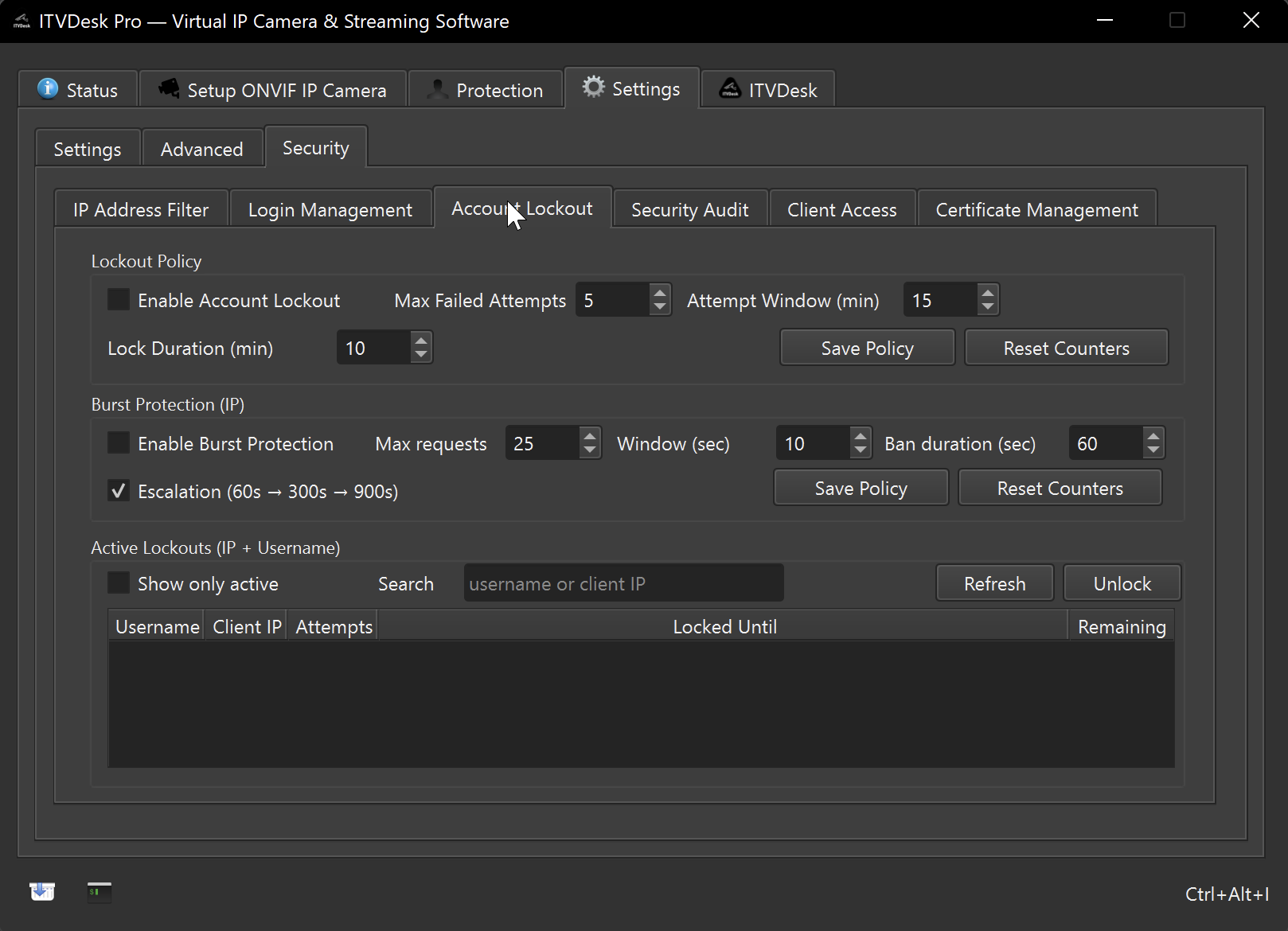
Account Lockout(lockout + burst + active lockouts)Security Audit(audit log)
Lockout Policy
Lockout blocks further authentication attempts for a period of time after too many failed attempts.
Common fields:
- Enable lockout
- Max attempts: how many failures trigger a lockout
- Window (minutes): failures are counted in this time window
- Duration (minutes): how long the lockout lasts
Actions:
Save Policyapplies the policy immediatelyReset Countersclears collected countersUnlock Selectedremoves a lockout entry for a selected row
Burst Protection
Burst protection blocks clients that exceed a request rate.
Common fields:
- Enable burst policy
- Max requests
- Window (seconds)
- Ban duration (seconds)
- Escalation enabled: increases severity for repeated bursts
Actions:
Save Policyapplies changesReset Countersclears burst counters
Active Lockouts Table
The active lockouts view shows:
- Username
- Client IP
- Attempts
- Locked until (timestamp)
- Remaining time
The UI limits the number of rendered rows to keep the UI responsive.
Audit Events
The audit log records security-relevant events such as authentication attempts.
Each row includes:
- Time
- Event type
- Camera
- Username
- Client IP
- Client Name
- Auth method (e.g. Basic/Digest)
- Result
- Details
Filtering and navigation:
- Filter by Event and Result
- Option to show unique clients only
- Pagination for large logs
This audit stream is also used by features like Connected Clients to resolve
the displayed Client Name.
Tips
- If you see many failed logins from unknown IPs, use Client Access & IP Address Filter.
- Use
Reset Countersafter you fix credentials to confirm that failures stop.