Audio Backchannel (ONVIF / RTSP)
Overview
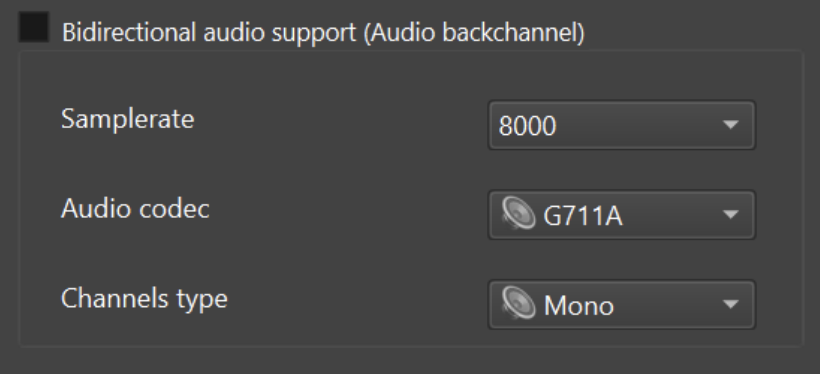
The Audio Backchannel feature allows an RTSP / ONVIF client to send audio from the client to ITVDesk Virtual ONVIF IP Camera. This is typically used for:
- Two-way audio (talk-back)
- Intercom and PA systems
- Operator announcements
- Audio injection into surveillance environments
ITVDesk implements audio backchannel according to ONVIF specifications using standard RTSP extensions and SDP direction attributes.
Standards & Compatibility
- RTSP: RFC 2326
- ONVIF Feature Tag:
www.onvif.org/ver20/backchannel - ONVIF Profiles: Profile S / T
- RTP-based audio transport (client → server)
ITVDesk supports all standard ONVIF audio codecs, including:
- G.711 (PCMU / PCMA)
- AAC
- OPUS
- G.726 variants
Codec negotiation is performed via SDP.
RTSP Require Header
An RTSP client that wants to establish an audio backchannel must include the following Require header:
Require: www.onvif.org/ver20/backchannel
If the server does not support backchannel, it will respond with:
RTSP/1.0 551 Option not supported
Unsupported: www.onvif.org/ver20/backchannel
ITVDesk fully supports this Require tag.
Bi-Directional RTSP Session Setup
The client establishes a standard RTSP session with an additional audio stream used for backchannel transmission.
Session Flow
- DESCRIBE (with Require header)
- Server returns SDP with backchannel media section
- SETUP (video)
- SETUP (audio playback)
- SETUP (audio backchannel)
- PLAY
- Client starts sending audio to server
- TEARDOWN to terminate
The client must not send audio before receiving a successful PLAY response.
SDP Direction Attributes
To describe media direction, ITVDesk uses standard SDP attributes:
-
a=recvonly
Media sent from server to client (video, normal audio) -
a=sendonly
Media sent from client to server (audio backchannel)
Example: SDP with Audio Backchannel (Multiple Codecs)
v=0
o=2890842807 IN IP4 192.168.0.1
s=RTSP Session with audiobackchannel

m=video 0 RTP/AVP 26
a=control:rtsp://192.168.0.1/video
a=recvonly

m=audio 0 RTP/AVP 0
a=control:rtsp://192.168.0.1/audio
a=recvonly

m=audio 0 RTP/AVP 0 97 98 99 100
a=control:rtsp://192.168.0.1/audioback
a=rtpmap:0 PCMU/8000
a=rtpmap:97 G726-16/8000
a=rtpmap:98 G726-24/8000
a=rtpmap:99 G726-32/8000
a=rtpmap:100 G726-40/8000
a=sendonly
The client selects one codec supported by both sides.
RTSP SETUP Example (Backchannel)
SETUP rtsp://192.168.0.1/audioback RTSP/1.0
CSeq: 4
Session: 123124
Transport: RTP/AVP;unicast;client_port=6296-6297
Require: www.onvif.org/ver20/backchannel
Server response:
RTSP/1.0 200 OK
CSeq: 4
Session: 123124;timeout=60
Transport: RTP/AVP;unicast;client_port=6296-6297;server_port=2346-2347
Testing Audio Backchannel
Recommended Test Client
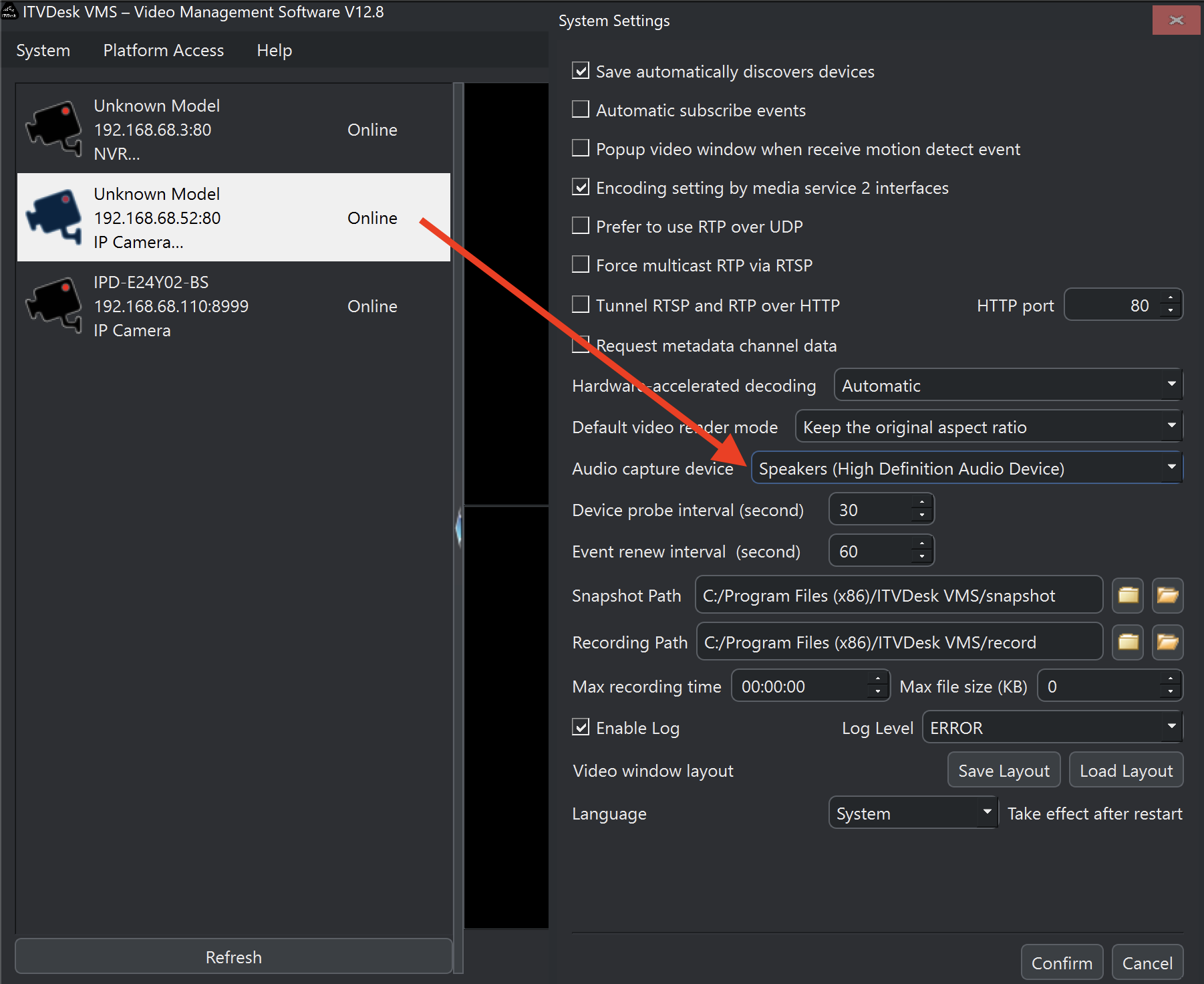
Use an ONVIF Profile T-capable client or the target VMS/NVR system that will be used in production. The client must support ONVIF audio backchannel / two-way audio.
Test Procedure
- Select microphone as audio capture device
- Open a normal RTSP stream from ITVDesk
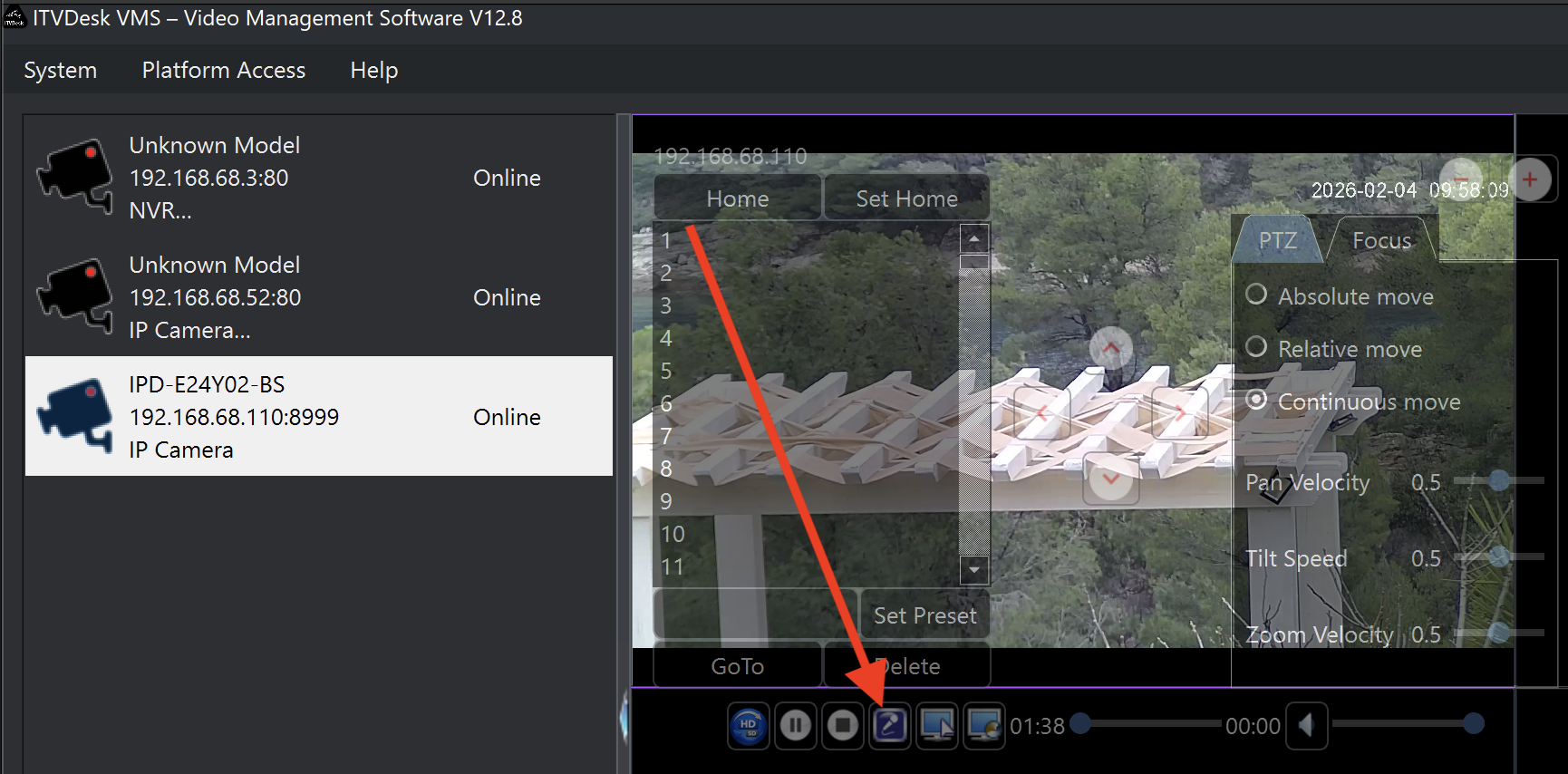
- Click the microphone icon in the player
- When the icon changes state, the backchannel is active
- Speak into the microphone
- ITVDesk receives and plays the audio
Client Requirements
- RTSP client must support:
- Require header
- SDP direction attributes
- RTP audio transmission
- Microphone capture support
- RTP over UDP or TCP (recommended for reliability)
Notes & Limitations
- One audio backchannel per RTSP session
- Audio is not recorded by default unless explicitly enabled
RTSP over TCP is recommended in NAT/firewall environments.
- Backchannel is independent of video encoding
Summary
The Audio Backchannel feature in ITVDesk provides:
- Standards-compliant ONVIF implementation
- Full RTSP Require-tag support
- Multiple codec negotiation
- Reliable two-way audio communication
- Compatibility with professional VMS and RTSP clients
This makes ITVDesk suitable for intercom, PA systems, operator feedback, and advanced surveillance deployments.